BUMERANG · TREASURE HUNT
Guests do not just visit.
They play — and come back.
Treasure Hunt turns your venue into a game: guests join with a code, complete missions and send proof. Points are credited only once your team approves, and a guest who reaches the threshold wins the reward — which applies itself as a discount in your QR menu.
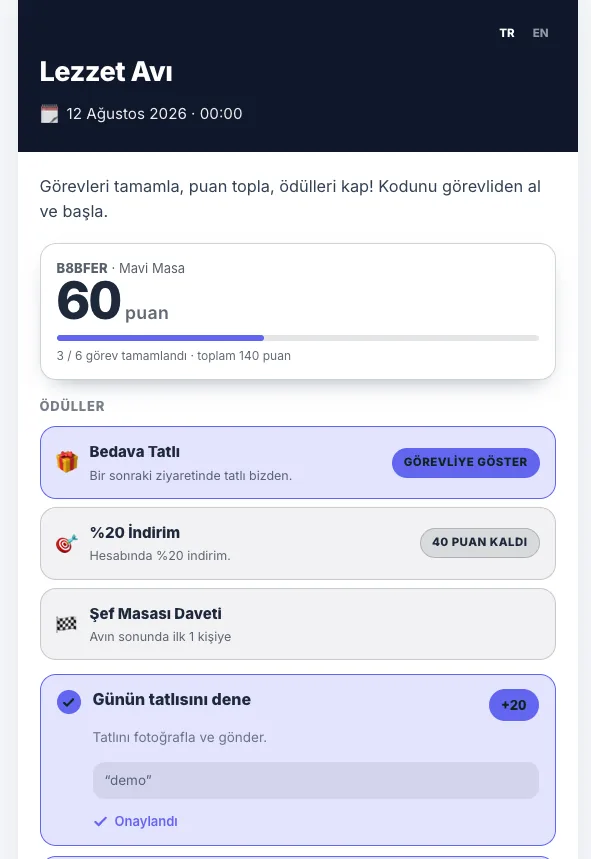
Three screens: you build, guests play, staff approve
Build the hunt
Design the page in a drag-and-drop studio and enter missions, points and rewards from the same screen.
Guests join
They get a participant code from your team and open the page on their phone — no app, no sign-up.
You approve
Proof lands on the approval board; approving a submission credits its points and unlocks the reward at the threshold.
Missions, points and proof are yours to set
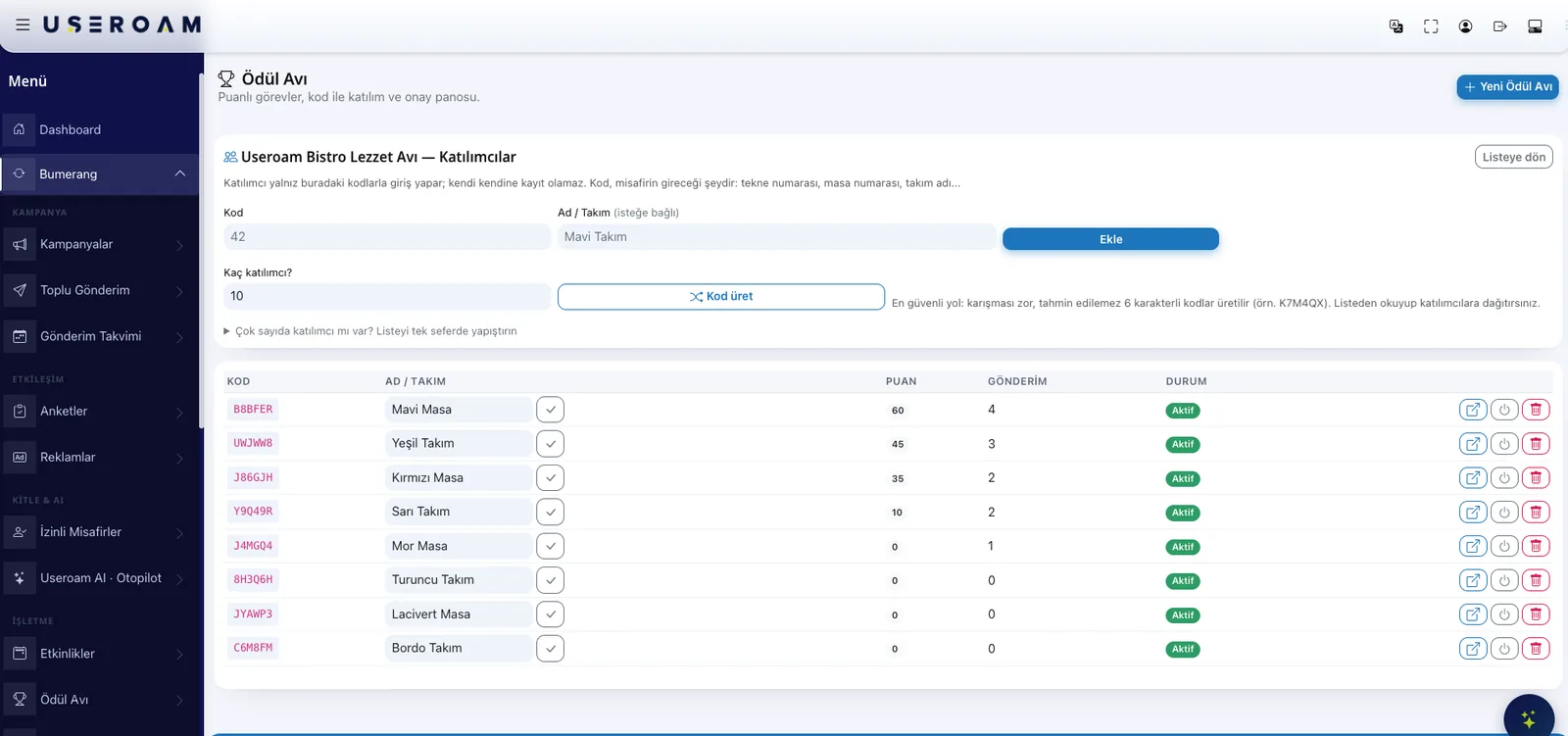
Each mission has a title, description, point value and proof type: photo, video, text or none at all. Missions can be repeatable, and anything unfinished stays a draft. Photos and videos upload straight from the phone camera, up to 32 MB.
- Proof type set per mission: photo, video, text or none
- Change a mission's points later and past submissions stay frozen
- Repeatable missions let the same guest score more than once
- Draft missions stay invisible to participants
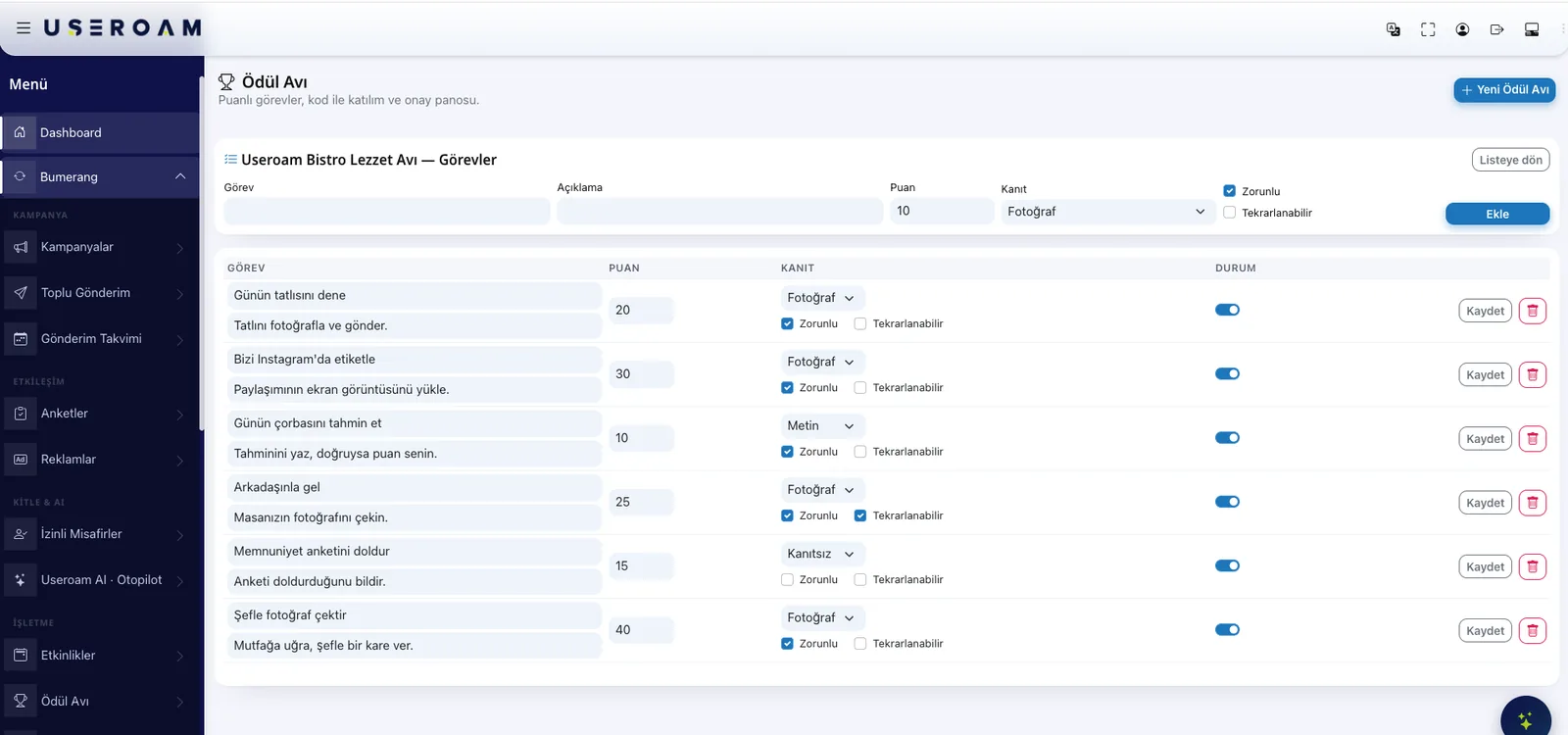
Entry is closed — only the codes you issue
There is no open sign-up. You define the participant codes, and a code that is not on the list can never open a session. Load them one by one or paste them in bulk, each with a label of your choice: room number, table, boat, team name. Send a personal link and the guest skips the code entirely.
Points go through approval — nobody scores themselves
Every submission waits on the approval board. It is grouped by participant: open the photo or video and approve one by one or in bulk. Reject and the guest sees the reason and can send again. Reject a previously approved submission and the points are taken back.
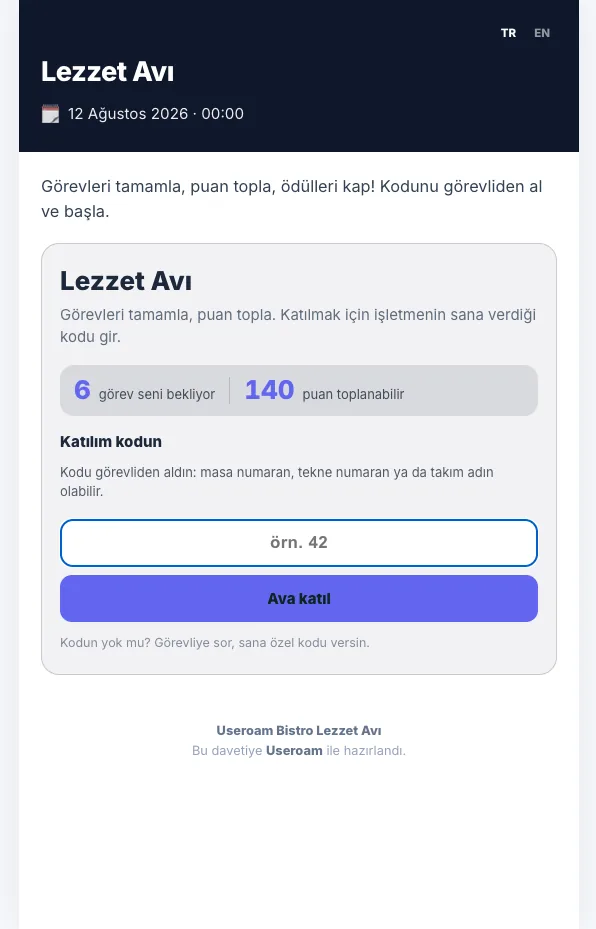
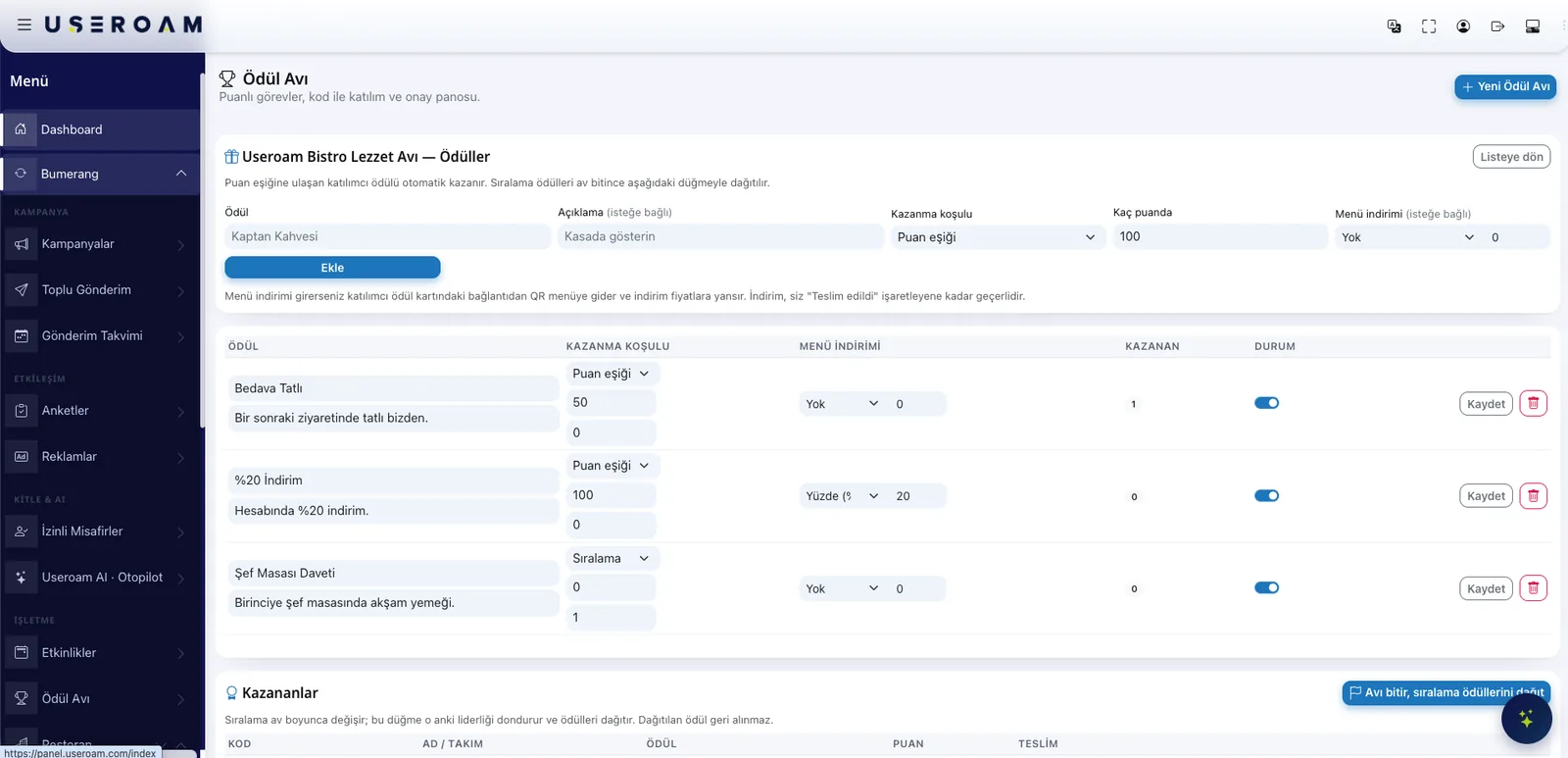
Two kinds of reward: threshold and ranking
Threshold rewards are automatic — the moment a guest reaches the score you set, they win. Ranking rewards are handed out at the end: "Finish the hunt" freezes the standings as they are. The participant screen shows what they have won and how many points are left to the next reward.
An earned reward becomes a discount in your QR menu
Attach a discount to a reward and it applies itself when the guest opens the menu — no coupon code to type. The discount stays valid until your team marks it "delivered" in the panel: one mechanism, no second place to keep state.
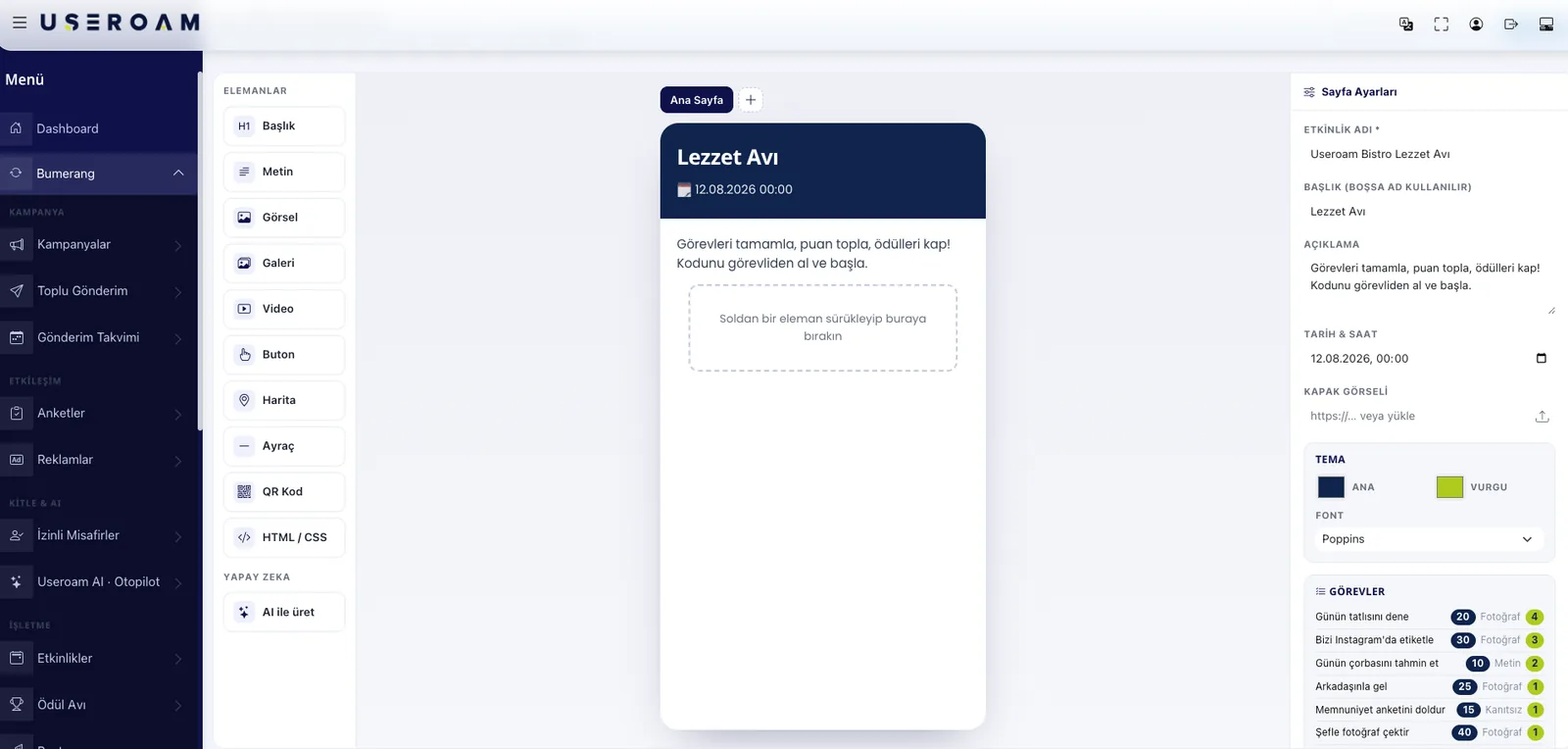
Design the page without code
The hunt page is built in a drag-and-drop studio: heading, text, image, gallery, video, button, map, divider, QR code and your own HTML block when you need one. Colours and type follow your venue's identity, and AI can draft the copy for you.
Six languages, one click
A hunt can be published in English, Turkish, German, Russian, Arabic and Persian. You pick the language you wrote it in, tick the ones to publish, and let AI translate: title, description, page blocks, missions and rewards all in one pass. The interface itself already ships in all six.
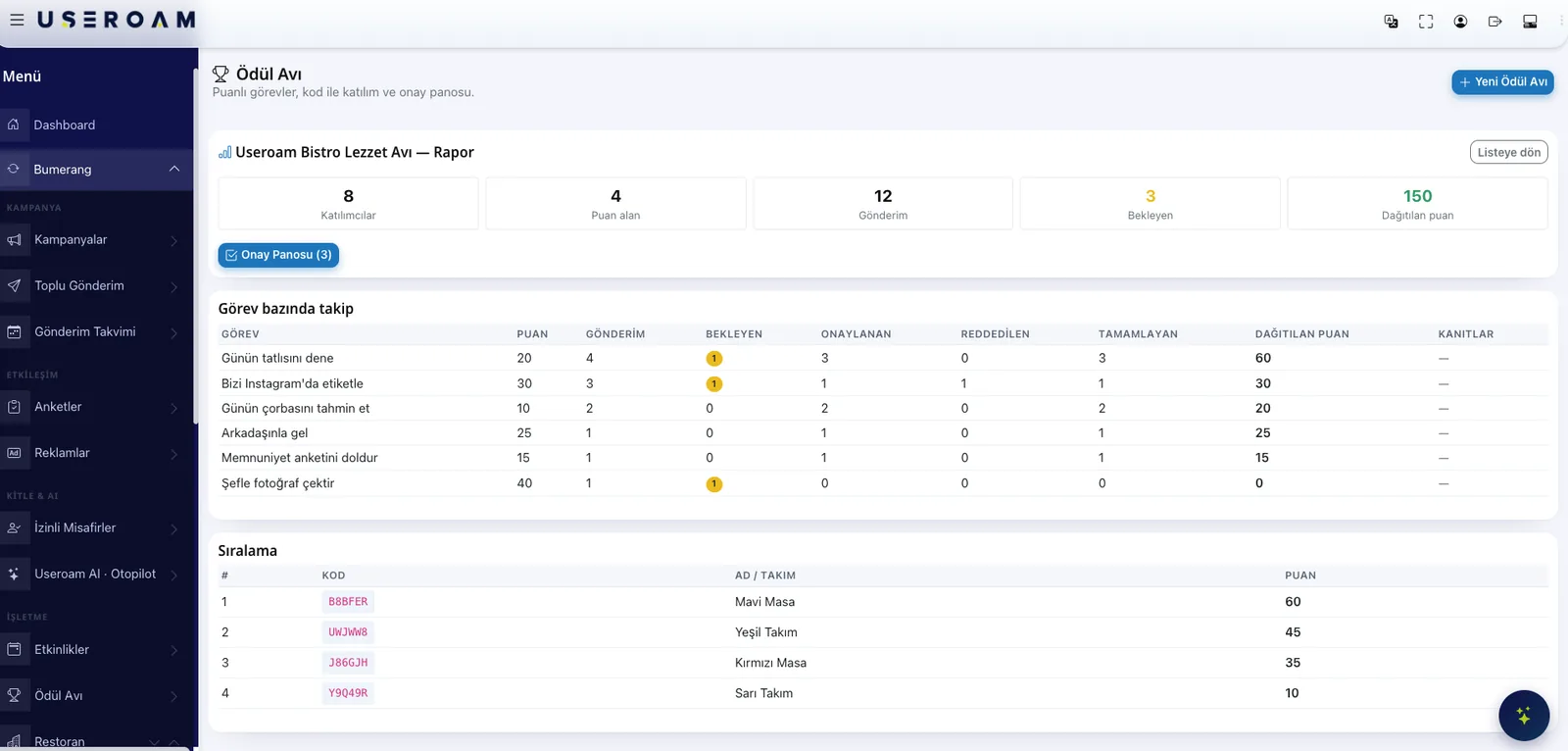
See which missions landed
The report screen summarises participants, scorers, pending submissions and points awarded. A per-mission table shows submissions, pending, approved, rejected and how many people completed it, with the leaderboard underneath.
Where it works
Treasure Hunt fits anywhere you want guests to spend time with you rather than on their phone.
Playful on the surface, solid underneath
Participant login is rate limited, so the code list cannot be enumerated by guessing. Each hunt only ever sees its own venue's data, and a code from another site will not pass. In the panel, module permission is granted per staff member — you decide who opens the approval board.
Let's build one hunt for one weekend.
We will set up your missions and rewards in a demo environment so you can see the guest screen on your own phone.
Frequently asked questions
Do guests install an app?
Can anyone join?
Who awards the points?
How does the guest receive the reward?
Can international guests play in their own language?
Related guides
Guest WiFi and Customer Loyalty: The Bumerang Modules
Guest WiFi is more than connectivity — it is a loyalty engine. Meet the Useroam Bumerang modules that turn one-time visitors into returning customers.
What Is a QR Menu? Digital Menu Guide for Restaurants
A QR menu gives diners instant, contactless access to your menu from their phone. How it works, why it beats print and how it pairs with guest WiFi.