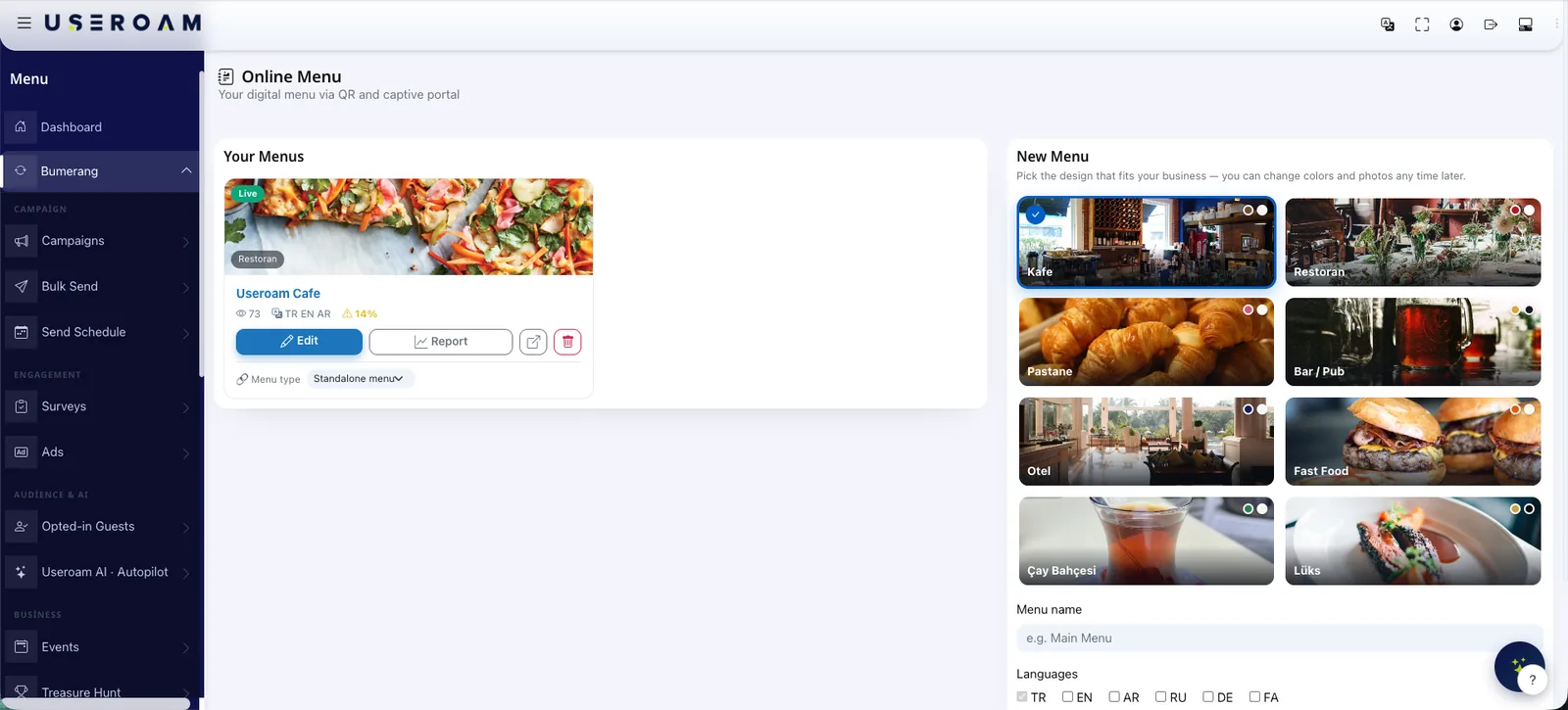
A QR menu is a contactless digital menu: customers scan a QR code on the table with their phone and your menu opens instantly. For restaurants and cafes it eliminates printing costs, makes the menu updatable in seconds and serves international guests in their own language. Useroam Bumerang QR Menu goes one step further and connects it to your guest WiFi experience.
In short: what is a QR menu?
A QR menu is your restaurant menu published as a web page and reached by scanning a QR code on the table. The guest points a phone camera at the code and the menu opens in the browser — nothing to download, no account to create. Because the menu is a page rather than a print run, a price change or a sold-out item goes live for every table the moment you save it, and each item can carry a photo, a description and allergen information that would never fit on paper. Useroam's Bumerang QR Menu ships six fixed interface languages (Turkish, English, German, Russian, Arabic and Persian), and AI translation extends the menu content itself to 22, so international guests read it in their own. It also connects to the guest WiFi journey: the same visit that starts with a scan can end with a survey, a campaign or a returning-guest offer, and you see which items were viewed most.
How does a QR menu work?
A QR code placed on the table is scanned with the phone camera and opens the digital menu directly in the browser — no app download, no friction. When you update the menu from your dashboard, the change is live immediately for every table.
The advantages of a QR menu
- Contactless and hygienic: No physical menus passed from hand to hand.
- Instant updates: Price and item changes go live in seconds — no reprints, no stickers over old prices.
- Multi-language: International guests read the menu in their own language.
- Lower cost: No printing or reprinting expenses, ever.
- Rich presentation: Photos, descriptions and allergen information for every item.
A QR menu integrated with guest WiFi
With Useroam Bumerang, the QR menu plugs into your guest WiFi sign-in flow: as guests connect, they are guided straight to the menu — and every menu view becomes a data point about what your customers are interested in. See the QR Menu page for details, or explore how the full Bumerang toolkit turns guest WiFi into a marketing channel.
Frequently Asked Questions
Do customers need an app?
No. Scanning the code with the phone camera opens the menu in the browser — no app required.
Can I update the menu myself?
Yes. You can update items, prices and photos from the dashboard whenever you like.
Can I offer the menu in multiple languages?
Yes. The menu can be served in multiple languages — ideal for venues with international guests.