STAFF APP
The moment a request lands,
it is in your team's pocket.
The Staff App is a mobile panel for frontline teams that works without any app store download (PWA). Room service, table orders and issue reports reach staff instantly, move forward with one tap, and escalate to a manager if they run late.
Roles, departments and rooms: work reaches the right person
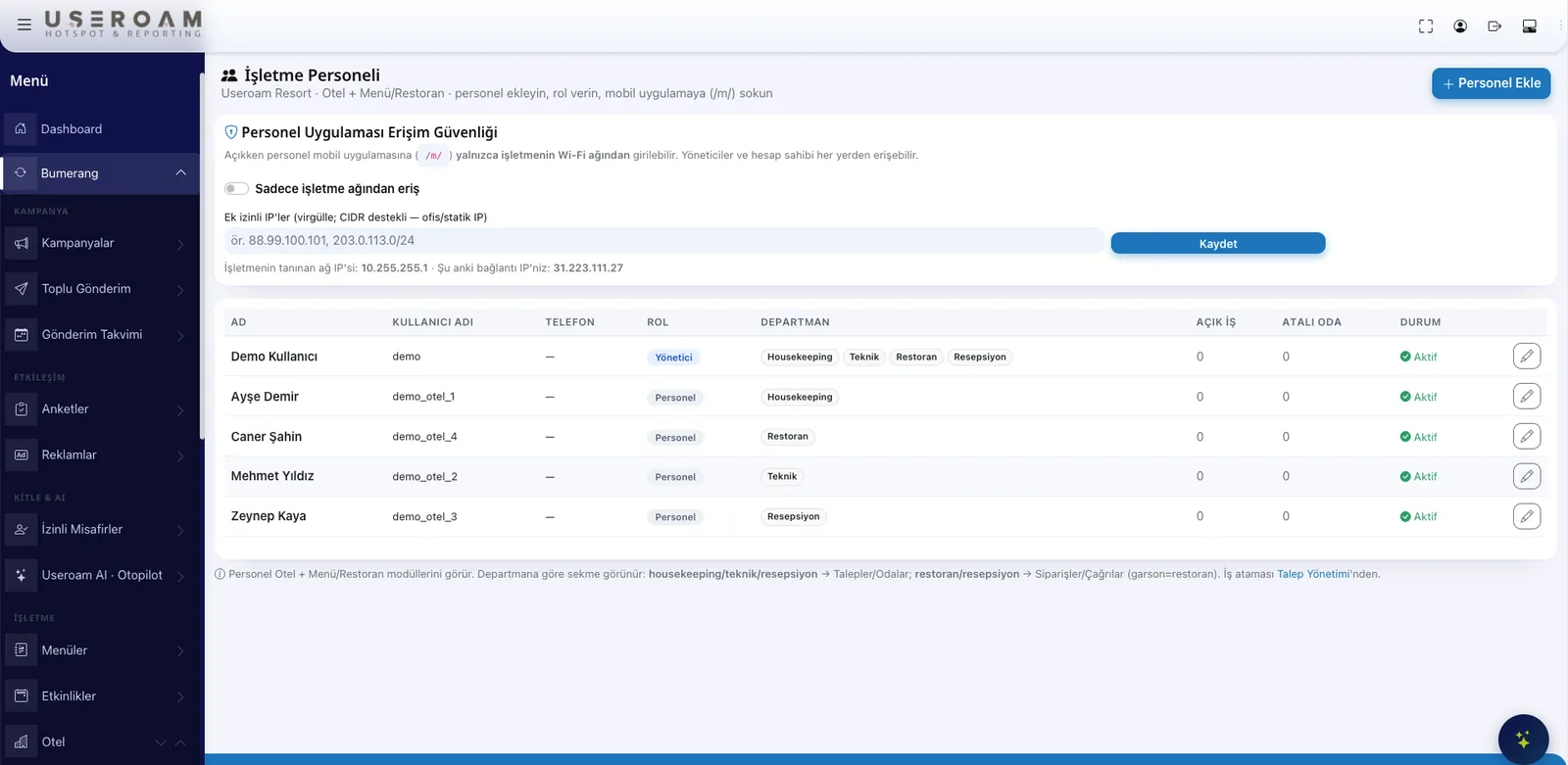
Staff members are defined by role and department and only see the modules they are allowed to. Managers assign open jobs and rooms to staff; housekeeping sees its own list, the technical team sees its own issues. Hotel staff never touch the network panel — they work only in their own operations area.
Live request monitor and SLA
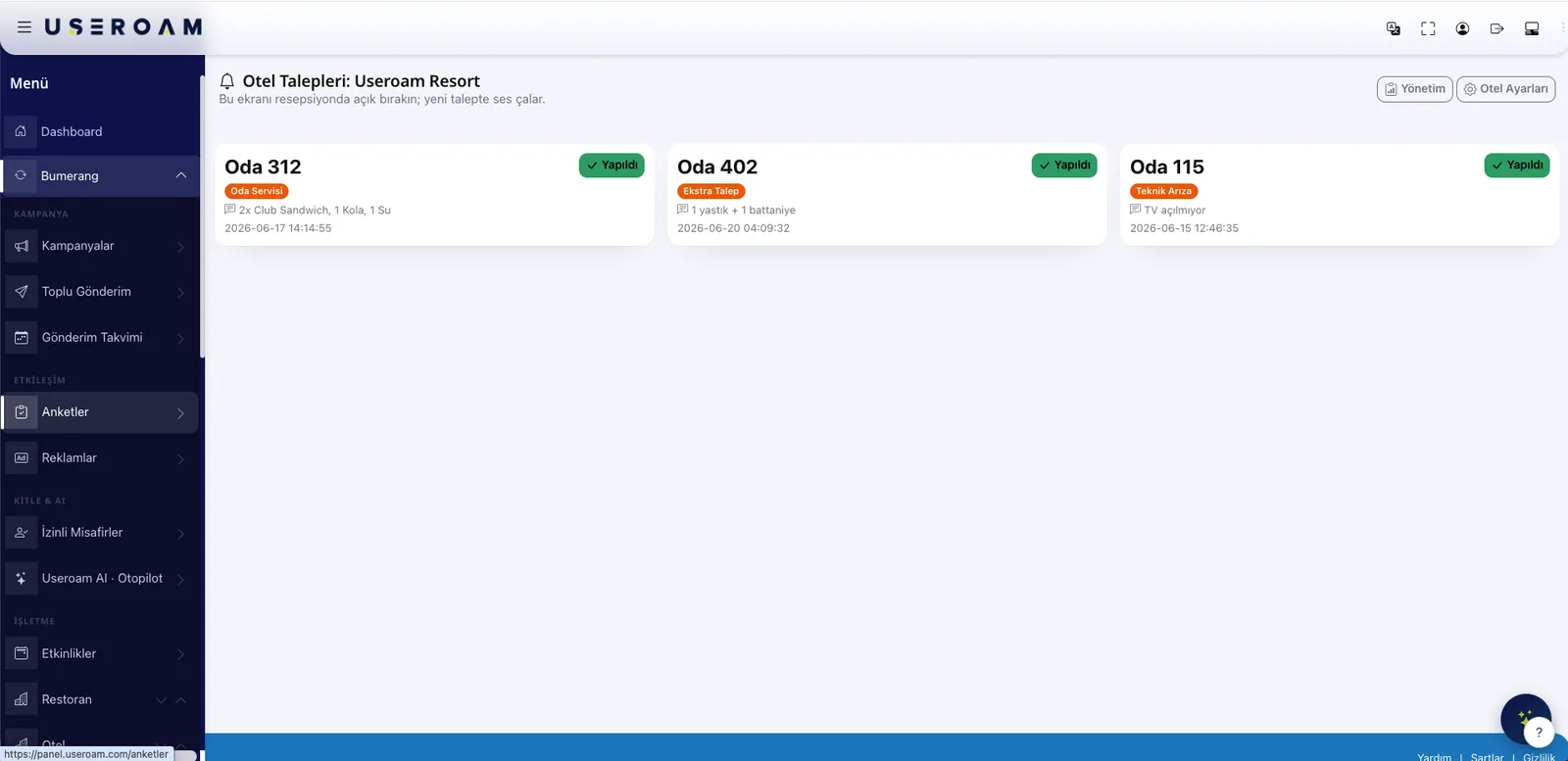
Room service, extra requests and technical issues stream on a live monitor with their status: waiting, in progress, done. SLA time colors expose late jobs at a glance, and managers are notified when a deadline is breached. Order tracking follows the same flow: new, preparing, ready, delivered.
Three steps on the floor
A request comes in
A guest orders from the portal or QR menu, asks for room service or reports an issue.
It reaches the staff
The request lands on the right department's phones with sound and vibration, and appears on the live monitor.
It is tracked and closed
Staff move the job forward with one tap; issues are closed with before/after photos and performance is reported.
One app, two different operations
The work differs between a hotel and a restaurant; the app does not. When staff sign in, the venue they work at is resolved from the network they are on, and only their own department's tabs appear.
In the hotel
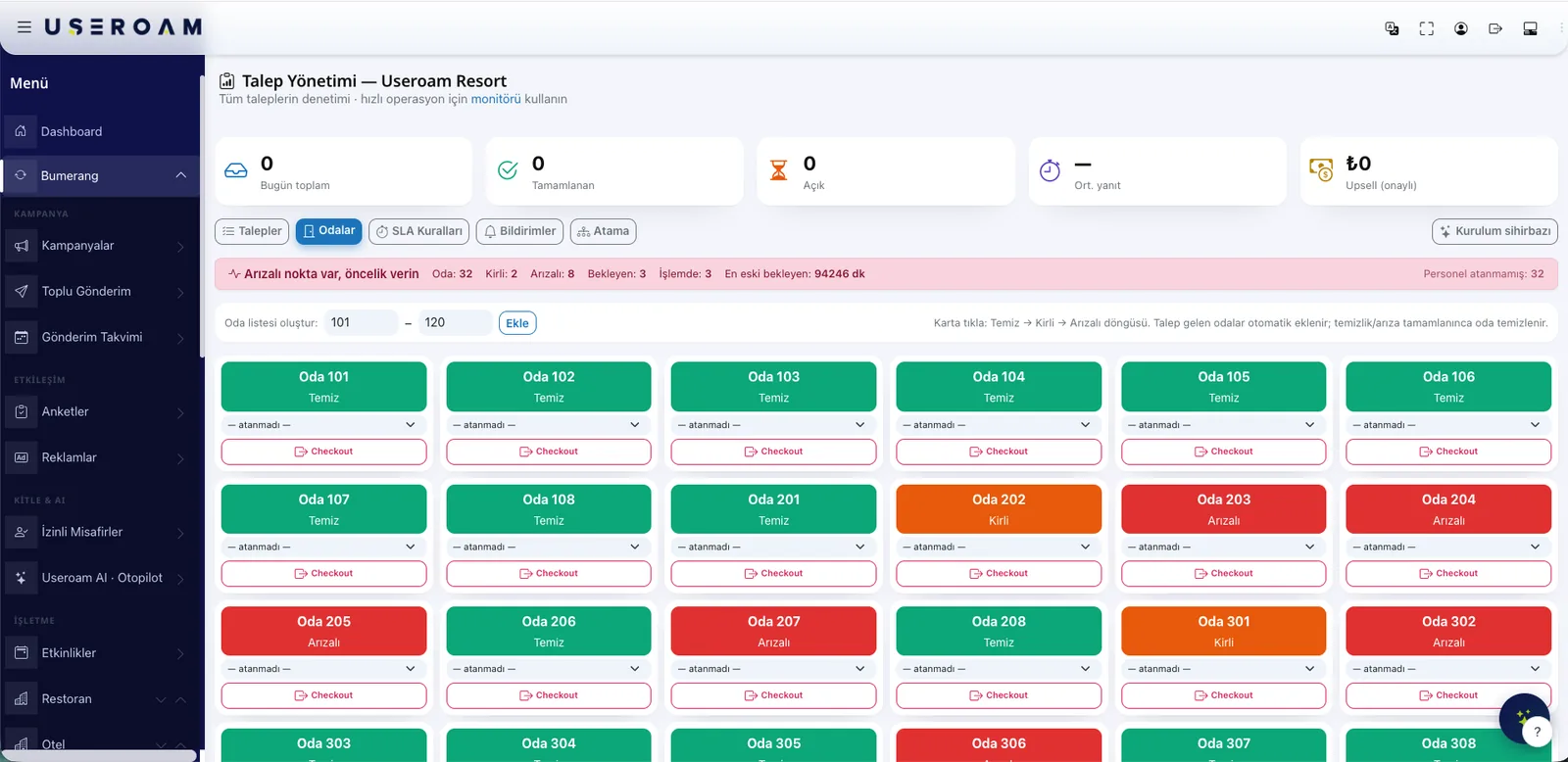
Room service and extra requests, technical issue reports, the room status board (clean / dirty / out of order), post-check-out cleaning flow and the lost-property log.
In the restaurant
Table calls and orders placed from the table, daily task lists, checkpoint status and temperature readings, plus live occupancy in the floor view.
Managers watch from the same screen
Staff with manager rights see a summary tab alongside their own work: open requests, overdue jobs, today's completion rate and who closed what, when. There is no separate manager app to install — the manager uses the same app as the floor team and simply sees more of it.
- Department-level rights: staff see only their own tabs
- Manager summary: open, overdue and completed work on one screen
- Task records keep who, when and which reading
- Guest phone numbers are shown masked to staff
What is in the field toolkit?
No app store, no rollout pain
Staff scan the app QR code; the panel opens in the browser and is added to the home screen. No updates, versions or store approvals to manage — the whole team is on the same system in minutes.
Stop losing requests to paper and radios.
Let us set up the field flow with your own department structure in a demo environment.