BUMERANG · RESTAURANT
A system for the noise
in front of the kitchen.
A guest request should not circulate until someone decides it is theirs, and daily checks should not live in anybody's memory. Requests open, land on a department and run against a clock; tasks arrive every morning and are recorded as they are done.
Guest requests: from QR to the right department
The guest scans the QR on the table and picks what they need. Every request type is bound to a department, so the moment a request opens it lands on that department's screen and on staff phones. Who picked it up, when it opened, how long it has waited — all visible in the list. If a request type is bound to no department, the panel warns you separately: a request nobody can be routed to never disappears quietly.
Daily tasks and checkpoints
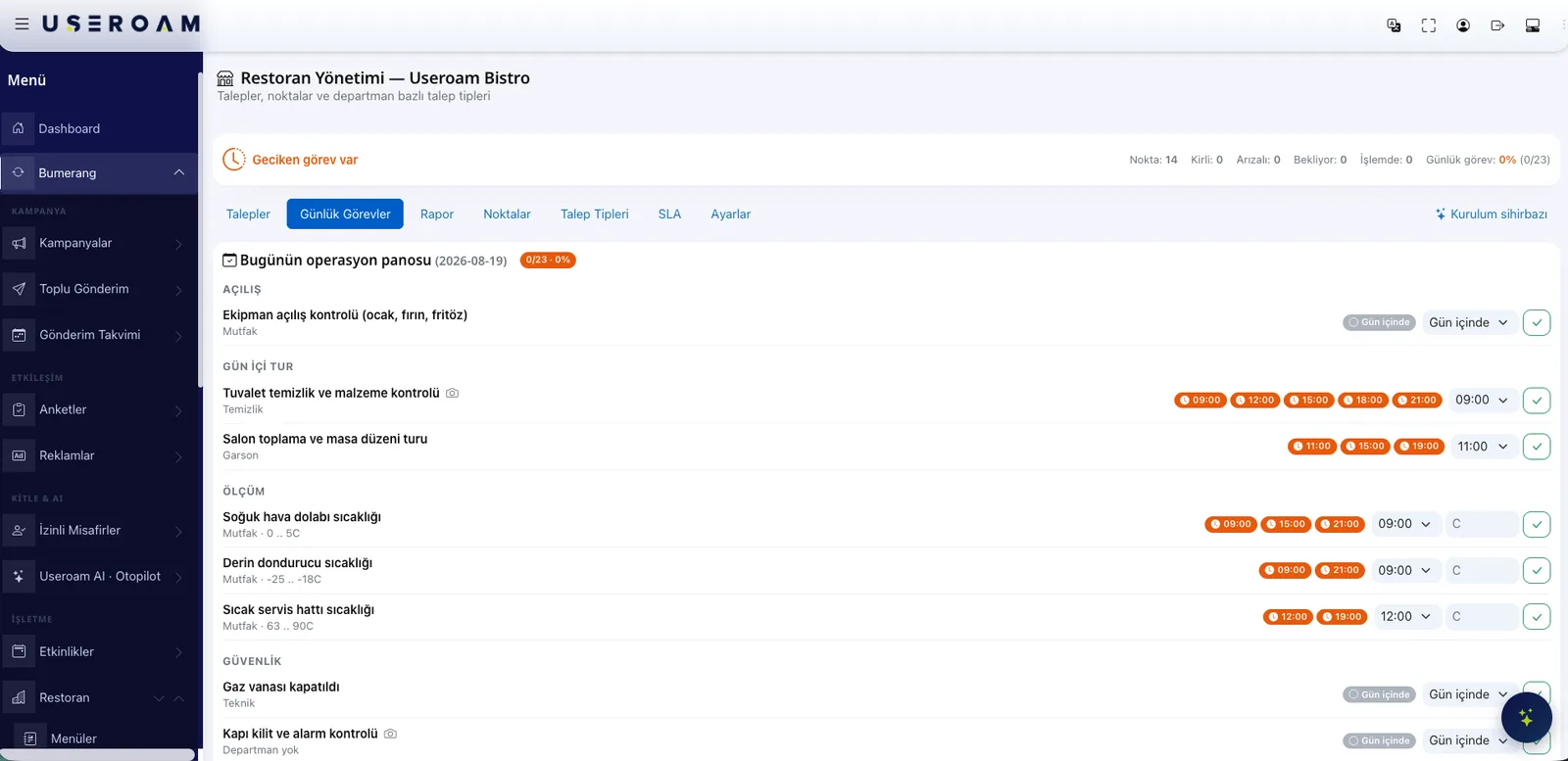
The moment you open the module, a ready task template and checkpoint list are created — you do not start from a blank page. Tasks reach the right staff during the day, get ticked off and are recorded. Reports show which task was done on which day and which one was skipped.
- A ready list with opening, walkthrough, measurement and safety sections
- Temperature readings with limits: fridge 0–5 °C, freezer −25 to −18 °C, hot line 63–90 °C
- Photo evidence where you need it, and repeats on the clock (09:00, 12:00, 15:00, 18:00, 21:00)
- Ticked off in the staff app, reflected in the panel instantly
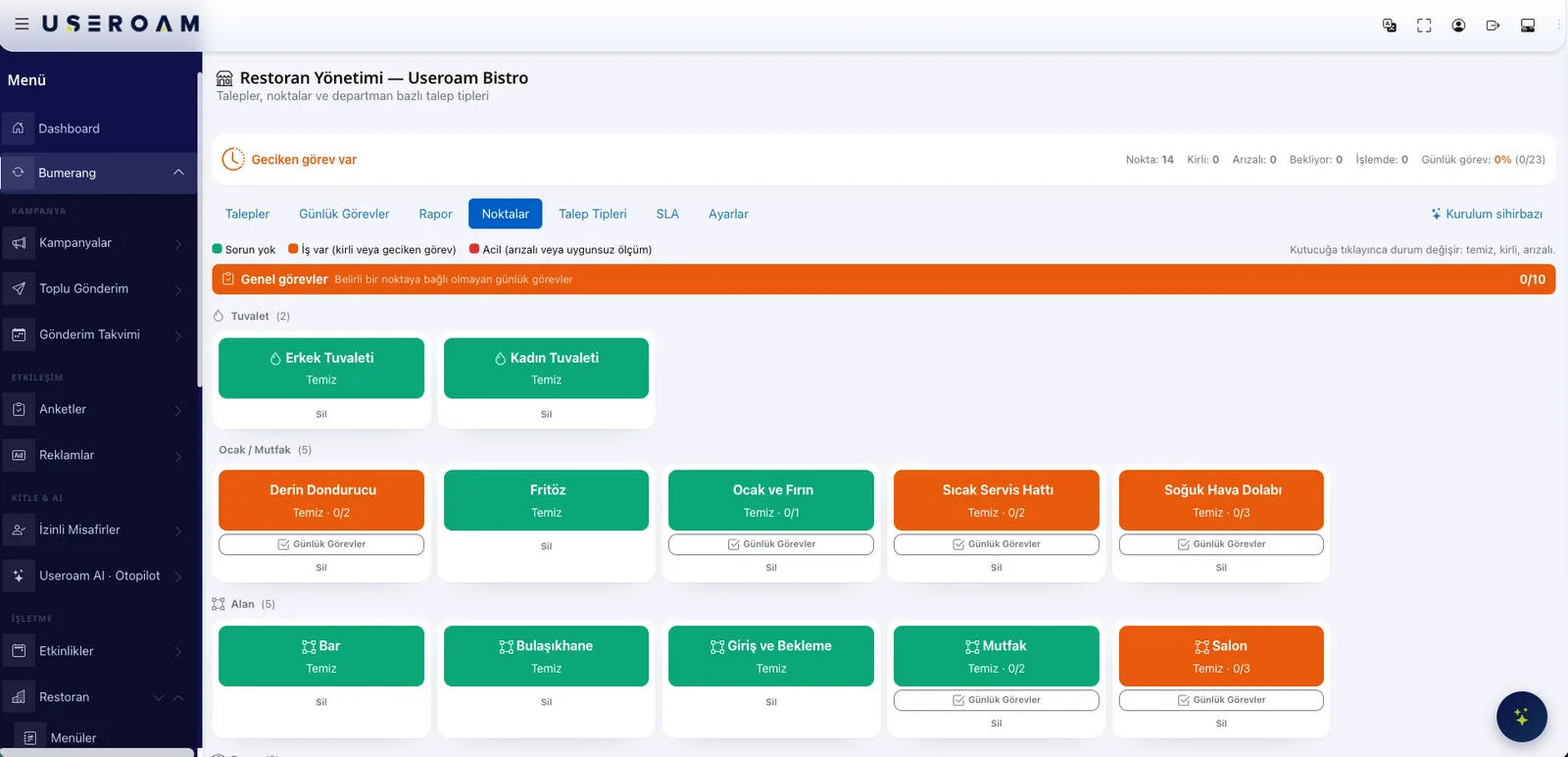
The checkpoint board: the whole venue at a glance
Toilets, kitchen equipment, the bar, the dishwash area, the dining room — each one is a checkpoint. The tiles speak in colour: green means fine, orange means something needs doing, red means urgent. Staff tap a tile to change its state; the manager looks at the board and sees where the venue stands right now.
SLA: let the delay announce itself
You define a time rule per request type. The engine scans open requests every five minutes and notifies the manager when one runs over. Delays surface without anyone having to watch the list.
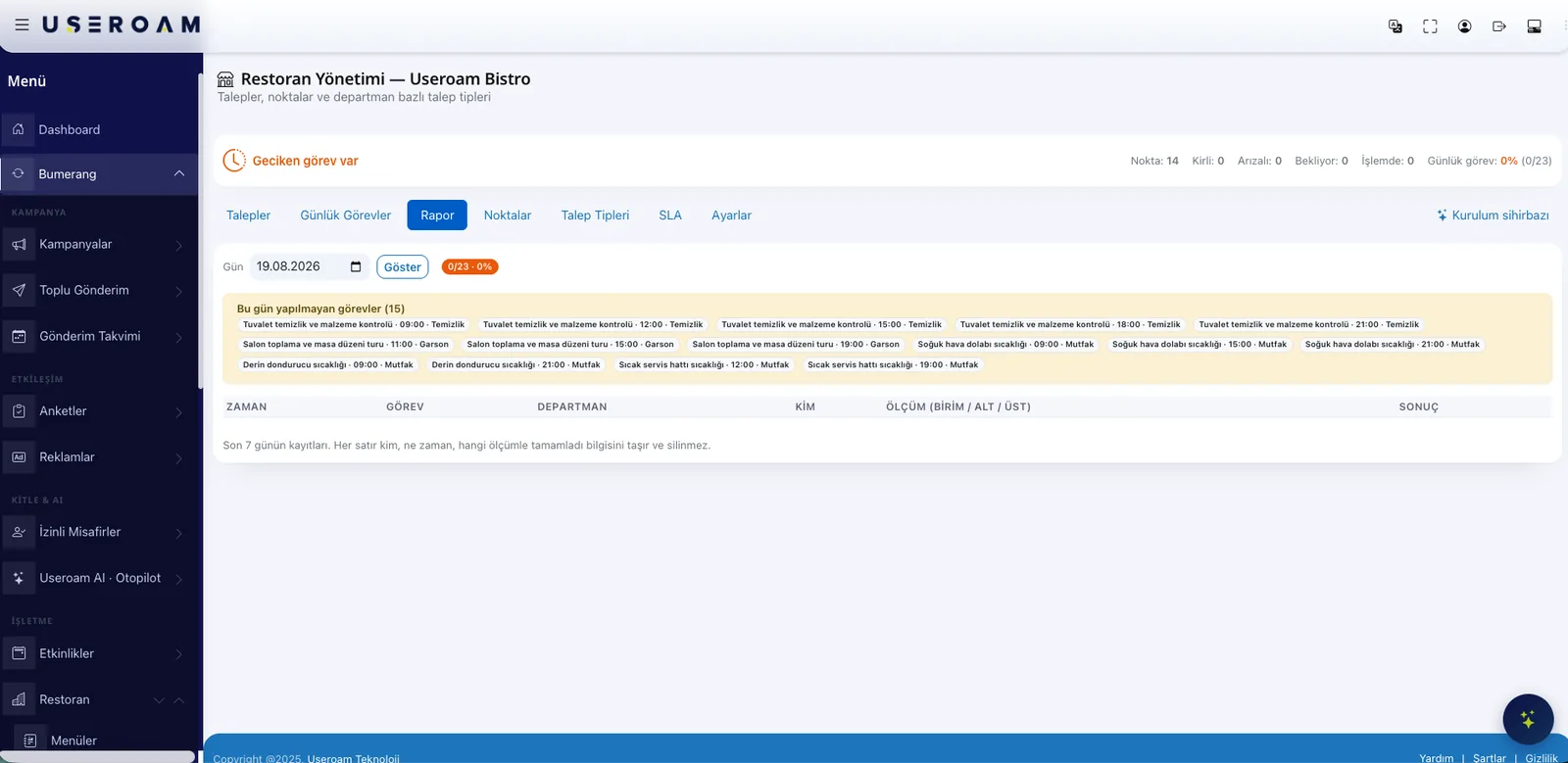
The report tab keeps the last seven days: every row carries who completed the task, when, and with which reading — and it cannot be deleted. Tasks not done that day are listed separately.
Staff on the floor, the panel in their pocket
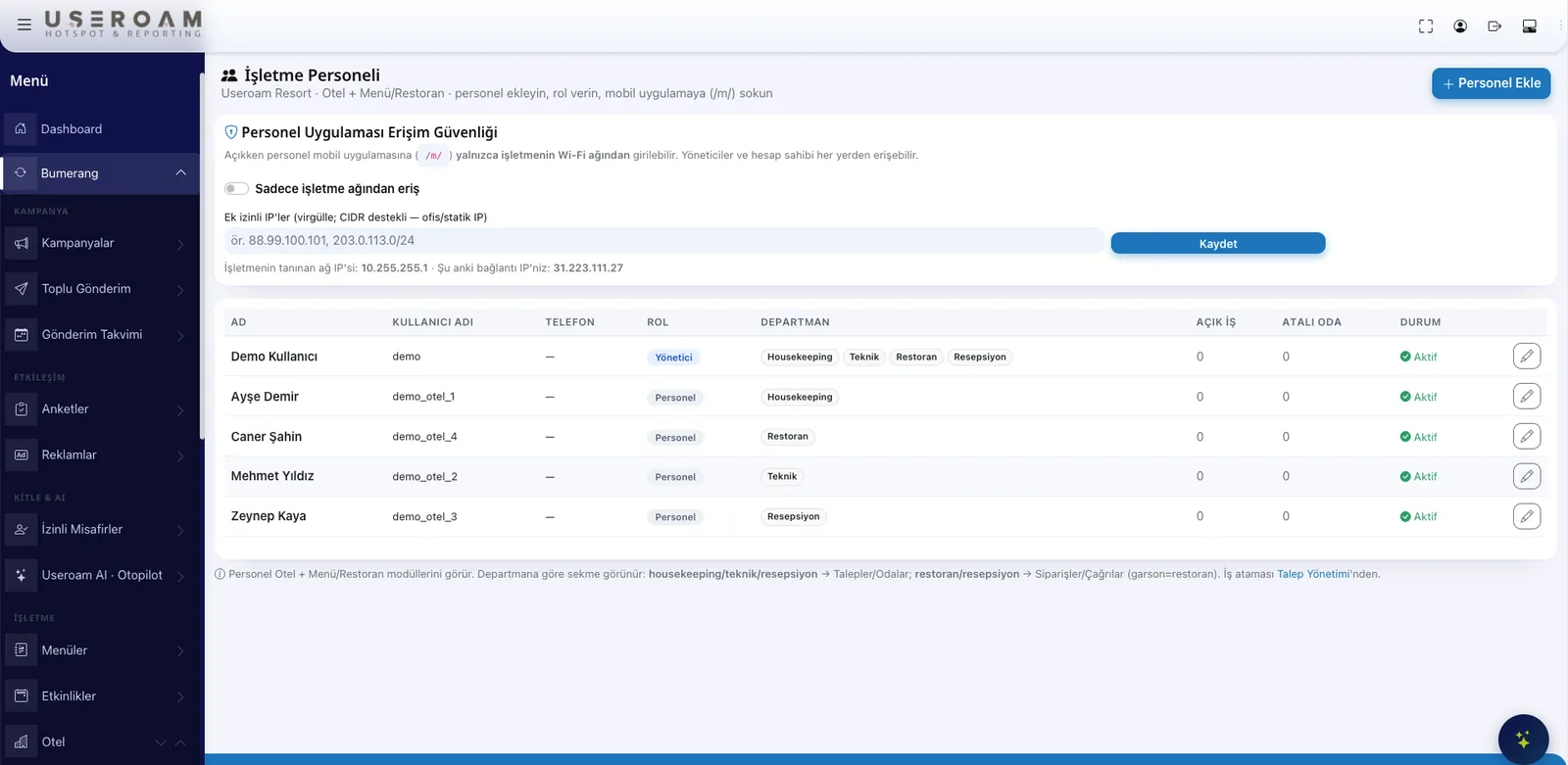
Staff do not have to sit down at a desk. From the staff app they see requests, take them on and close them, and tick off their daily tasks. Managers get a summary on the same screen. When someone is added, a password is generated and sent to them by SMS or WhatsApp — nobody hands out credentials.
Setup finishes on one screen
You create the restaurant profile; departments, request types, staff and SLA rules are filled in from the same wizard screen. If the venue has a menu, the QR menu link appears there too. Any unfinished step stays flagged in the list.
The QR menu is part of the same system
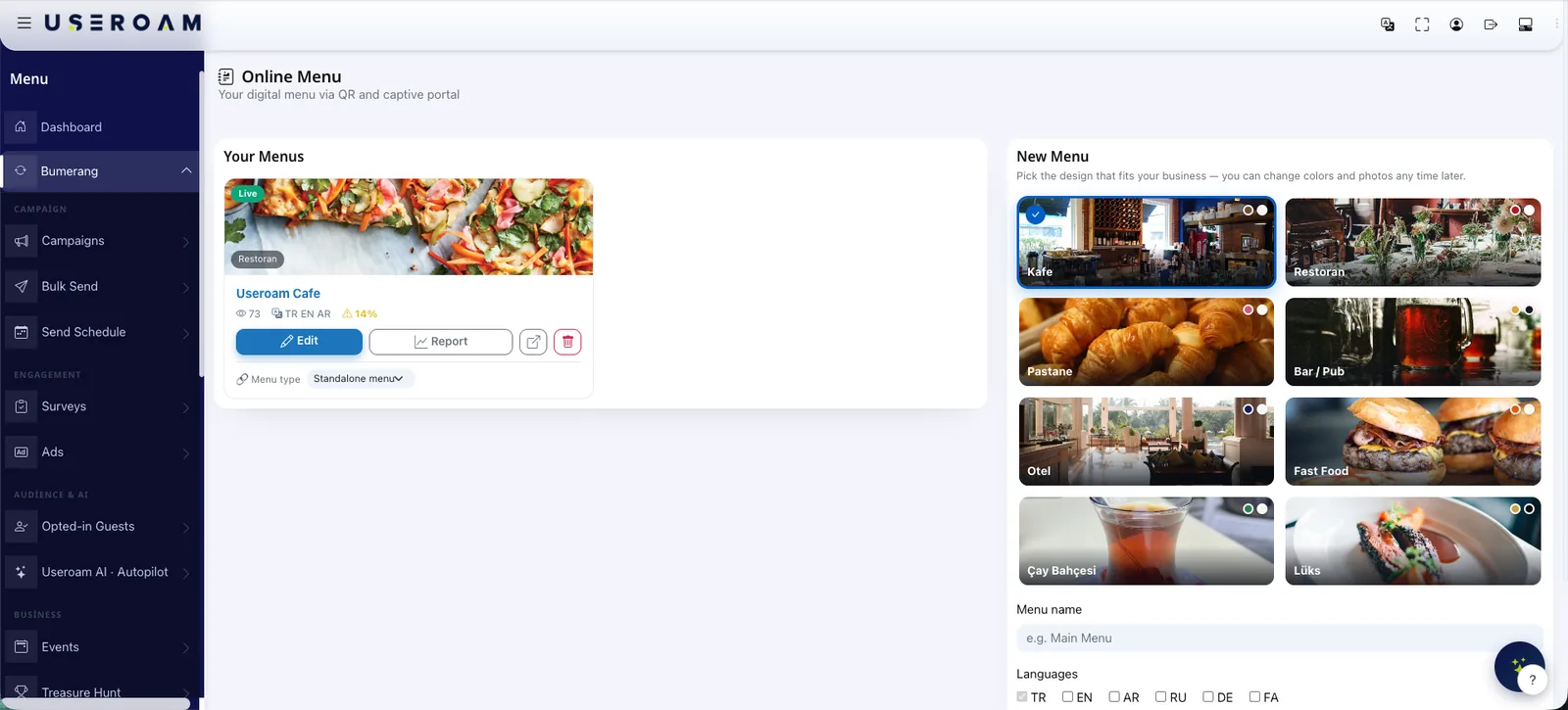
The restaurant module runs operations while the QR menu carries sales: guests read the menu in their own language, order from the table and call a waiter. Orders and calls land in the same staff app.
Try it for a day in your restaurant.
Let us set up your request types and daily task list together in a demo environment.
Frequently asked questions
Does the guest need an app to open a request?
Who does a request go to?
Do I have to write the daily task list from scratch?
How do I notice delays?
Are the QR menu and the restaurant module bought separately?
Related guides
What Is a QR Menu? Digital Menu Guide for Restaurants
A QR menu gives diners instant, contactless access to your menu from their phone. How it works, why it beats print and how it pairs with guest WiFi.
Hotel In-House Services: Digital Guest Engagement
From room service to late checkout, digital in-house service lets hotel guests make every request from their phone — cutting reception load and raising satisfaction.
Guest WiFi and Customer Loyalty: The Bumerang Modules
Guest WiFi is more than connectivity — it is a loyalty engine. Meet the Useroam Bumerang modules that turn one-time visitors into returning customers.