BUMERANG · HOTEL · GUEST PORTAL
Your digital front desk,
in your own identity.
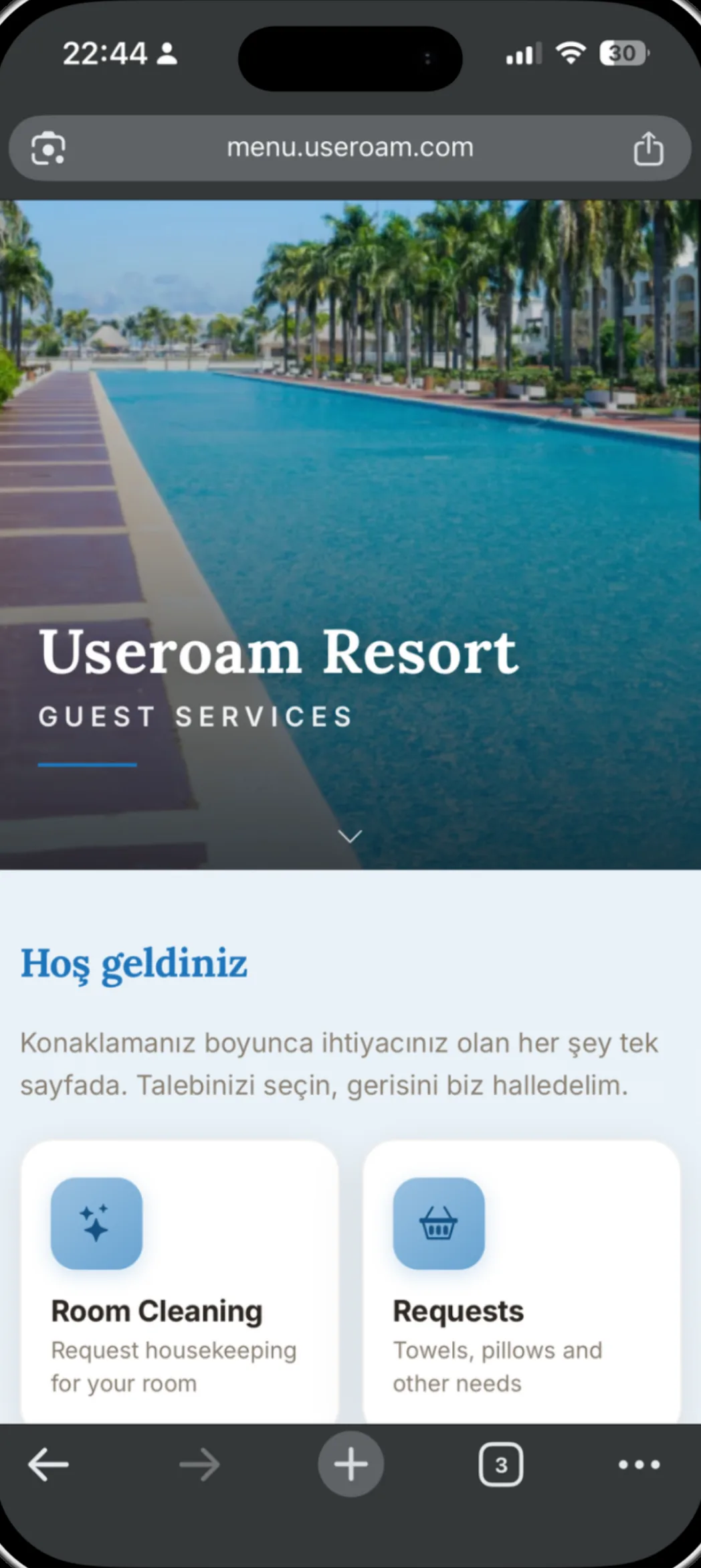
The guest portal is an app-free page that opens from the room QR or your WiFi login. It fills the screen with your hotel's logo, colours and cover photo, and everything inside it — request types, hotel information, the event programme — is yours to manage from the panel.
Portal settings on one screen
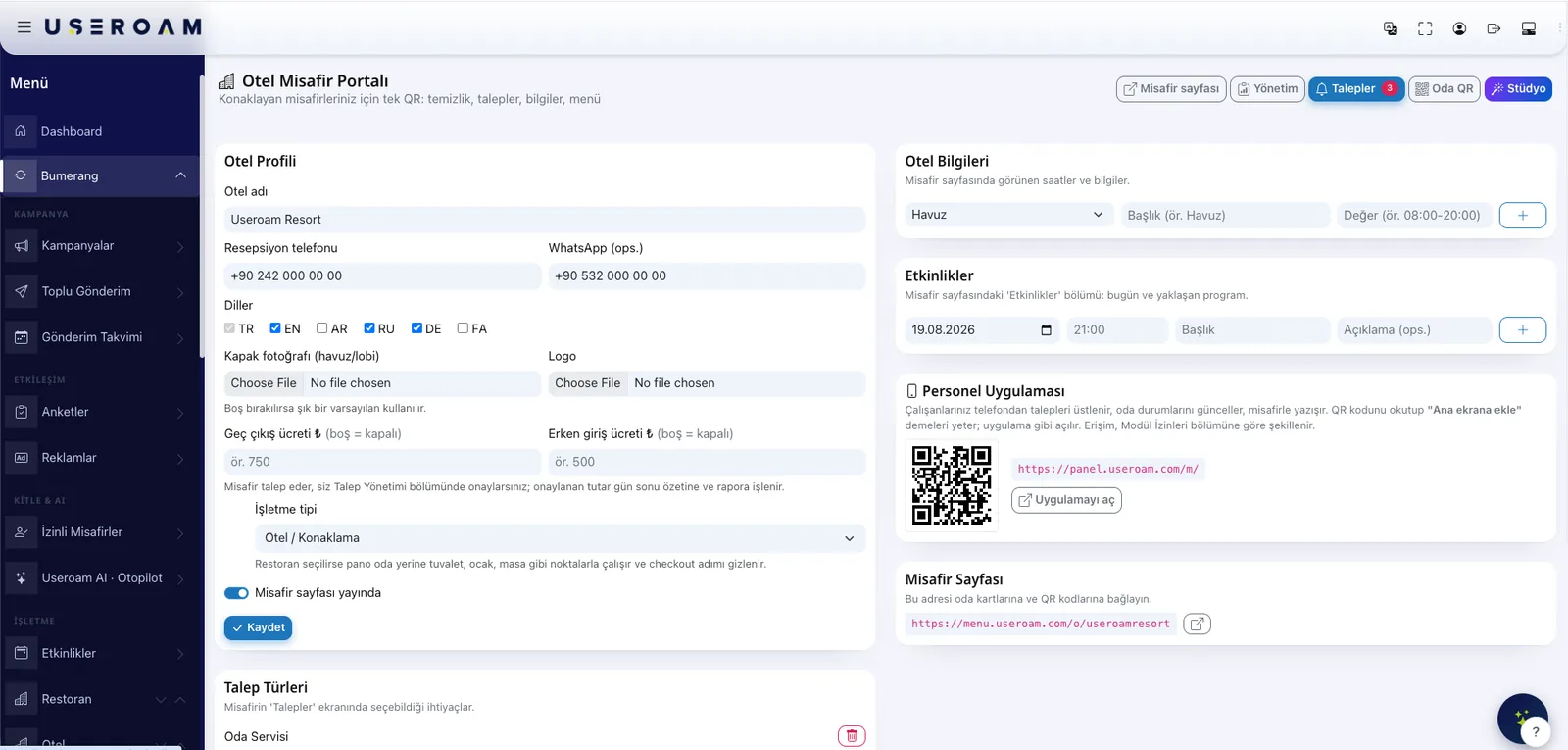
Hotel name, reception phone, WhatsApp number, cover photo and logo; whether the guest page is live; which languages it opens in. All on one page, live the moment you save.
- Hotel profile: name, phone, WhatsApp, logo, cover photo
- Six languages: English, Turkish, German, Russian, Arabic, Persian (RTL included)
- Request types: your own needs on top of the ready-made list
- Hotel information: title–value rows such as pool, spa and breakfast hours
- Events: today's and upcoming programme
- A switch that publishes the guest page
Late checkout and early check-in: your price
You enter late checkout and early check-in fees in the portal settings; leaving a field empty turns that service off. The guest raises the request, reception approves it, and the approved amount flows into the end-of-day summary and the report. Handling requests is a cost — upsell is revenue.
Hotel Studio: edit on a live phone preview
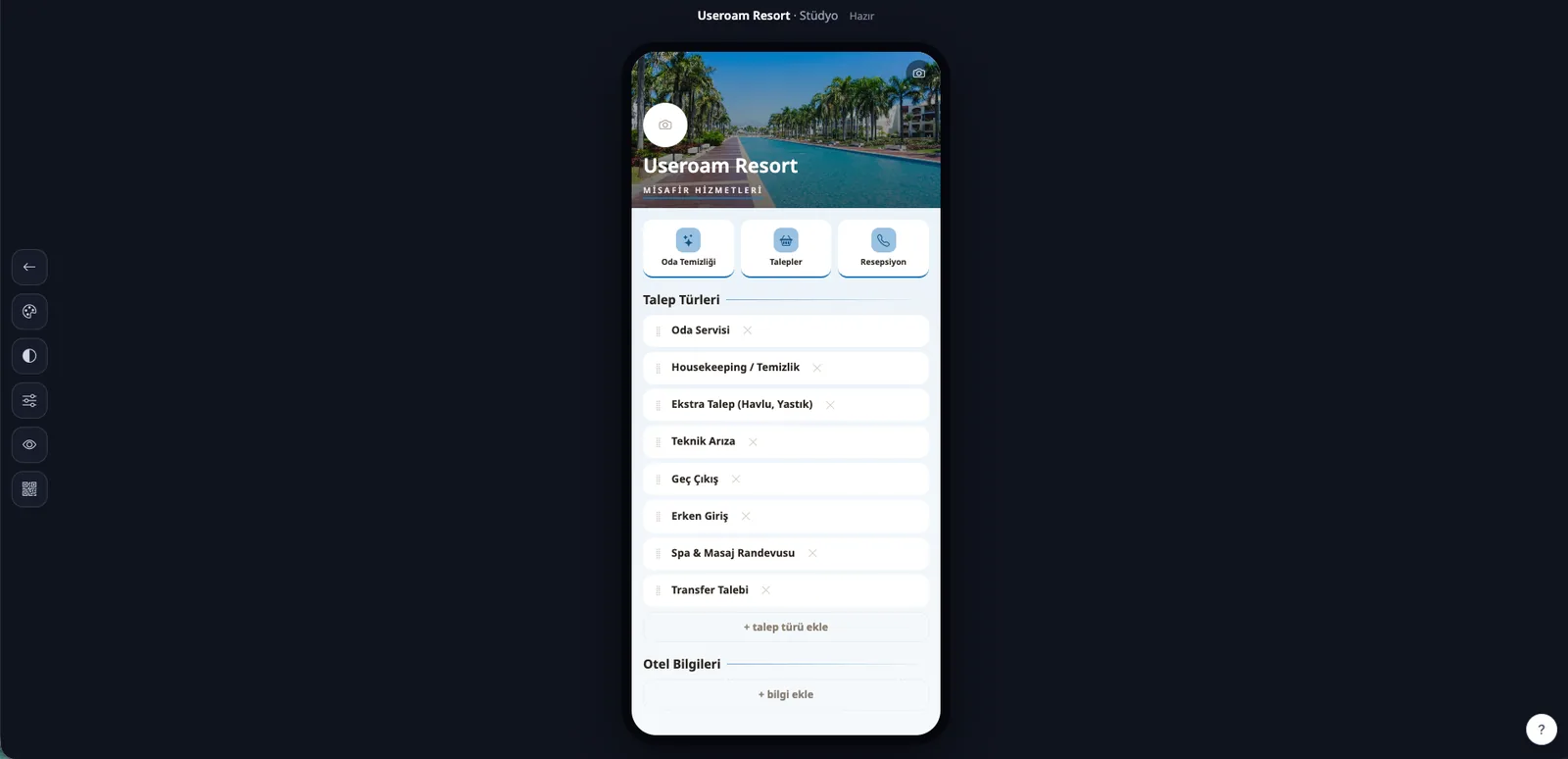
In the studio you edit the portal on a real phone preview: reorder cards, add request types, write your hotel information. Colours and type follow your identity — no code, no waiting on an agency.
The room QR and the staff QR
The guest page address goes on key cards, door-back notices and QR codes, and room QR codes are generated and printed in bulk. The staff app installs from a QR on the same screen: staff scan it and add it to their home screen.
The same portal, in a restaurant
Switch the venue type to restaurant and the board works with tables and service points instead of rooms, hiding the checkout step. Hotel and restaurant run in the same panel, on the same logic.
Let's build your portal in your own brand.
We will add your logo, colours and request types together in a demo environment.