BUMERANG · HOTEL · ROOMS
Which room is ready,
and which one is waiting?
The room board shows the hotel as it is right now: clean, dirty, out of order. Housekeepers close a room from their phone and reception sees it instantly. When a checkout is processed, the room drops to dirty on its own.
Colour says it at a glance
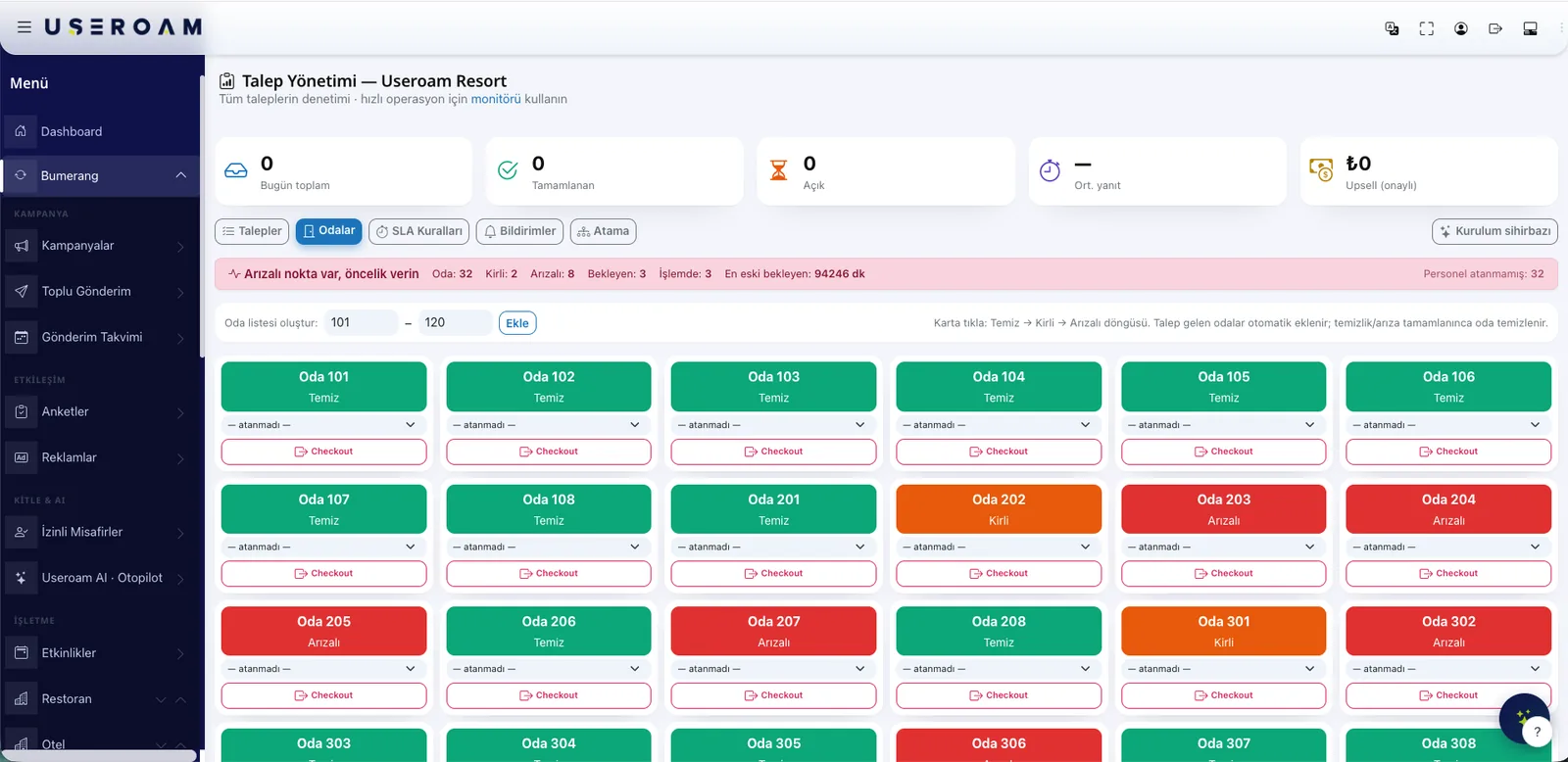
Rooms are colour-coded by status, so there is no argument about what is ready and what is waiting. Tap a room to change its status, assign a housekeeper or see its open requests. Shift handover stops being a verbal exercise.
- Clean · dirty · out-of-order states
- Assign a housekeeper to a room
- The room's open requests on the same card
- Every status change recorded with who and when
You build the room list once
You do not type rooms one by one: give a floor and a range and they are generated in bulk. Room names do not have to be numeric — A101, B12 or "Sea Suite" work just as well. The setup wizard asks for rooms, departments, request types and staff in the same flow.
No more paper rounds
Staff see their own floor list in the app: which rooms are dirty, which ones have a cleaning request. One tap closes a finished room. Technical faults are reported with a photo, and the room stays flagged out of order until the fault is closed.
The checkout chain
When a guest checks out, three things happen at once: open requests for that room are cancelled, the room is flagged dirty, and the guest's portal link expires. The housekeeping list updates itself — nobody has to call reception.
Useroam never posts to your PMS folio. Financial records stay on the PMS side; Useroam runs the operation.
Managers watch from the same app
Staff with manager rights get a summary tab next to their own work: room statuses, open requests, overdue jobs and today's completion rate. There is no separate manager app to install.
Let's build your room board in a demo.
We will enter your floor plan and departments together so you see the screen with your own rooms.