GUEST VERIFICATION
SMS login for guest WiFi
The guest types a phone number, a one-time code arrives in seconds and they are online. Because the number is verified, you are left with a real, reachable guest record.
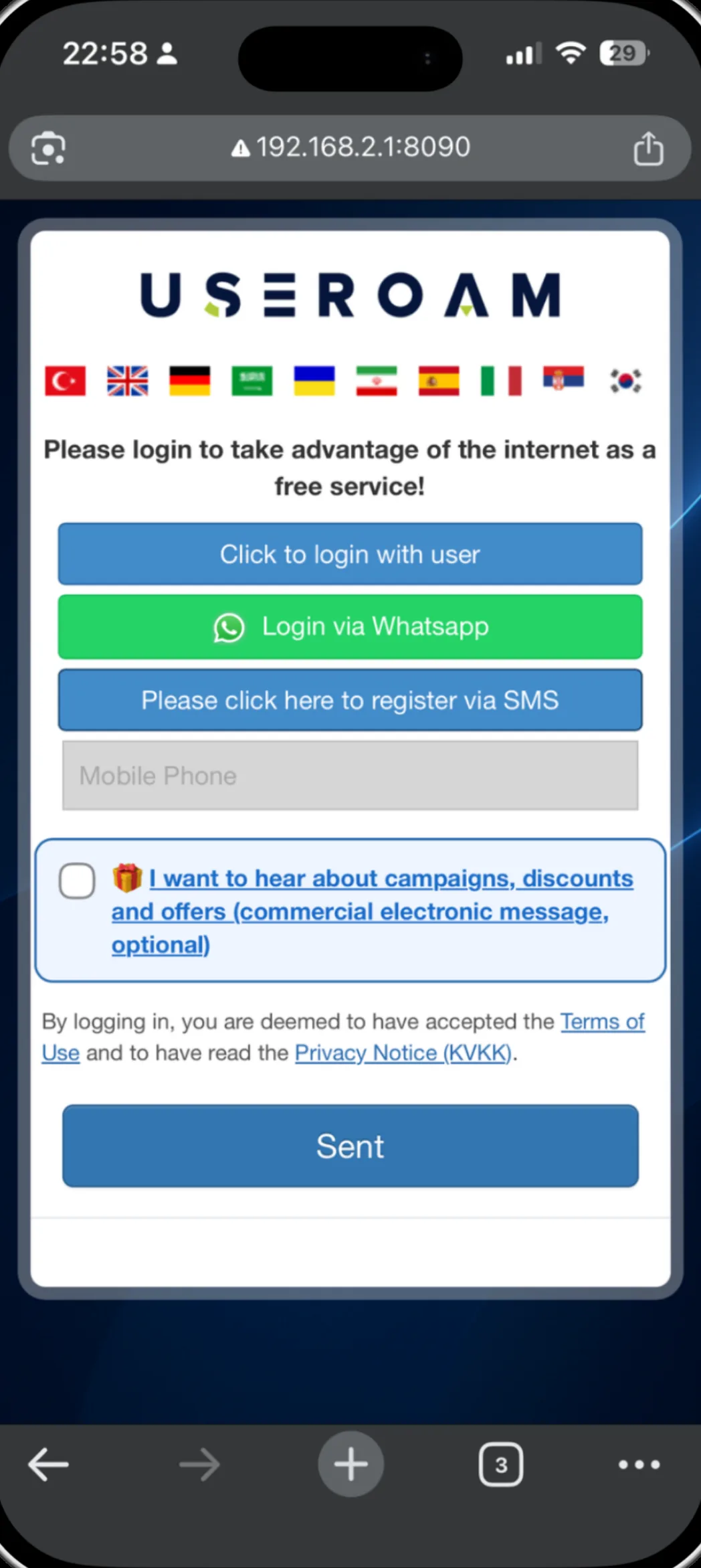
How does SMS verification work?
SMS verification proves that the phone number a guest entered actually belongs to them by sending a one-time code to it. When the guest joins your WiFi they land on your branded welcome screen, enter their number, type the code they receive and go online. Because the number is verified, the access record is tied to a real identity and you gain a marketing channel you can reach later.
For the full picture of the platform: Guest WiFi features
Four steps on the guest side
Joins the network
The guest selects your WiFi; the device opens the welcome screen automatically.
Enters a number
The country code is preselected. Different formats are normalised to one form, so the code always reaches the right number.
Types the code
The one-time code arrives by SMS; iOS and Android offer it on the keyboard for one-tap entry.
Goes online
On success the session opens, the access record is logged and the guest is connected.
Your sender name, or ours
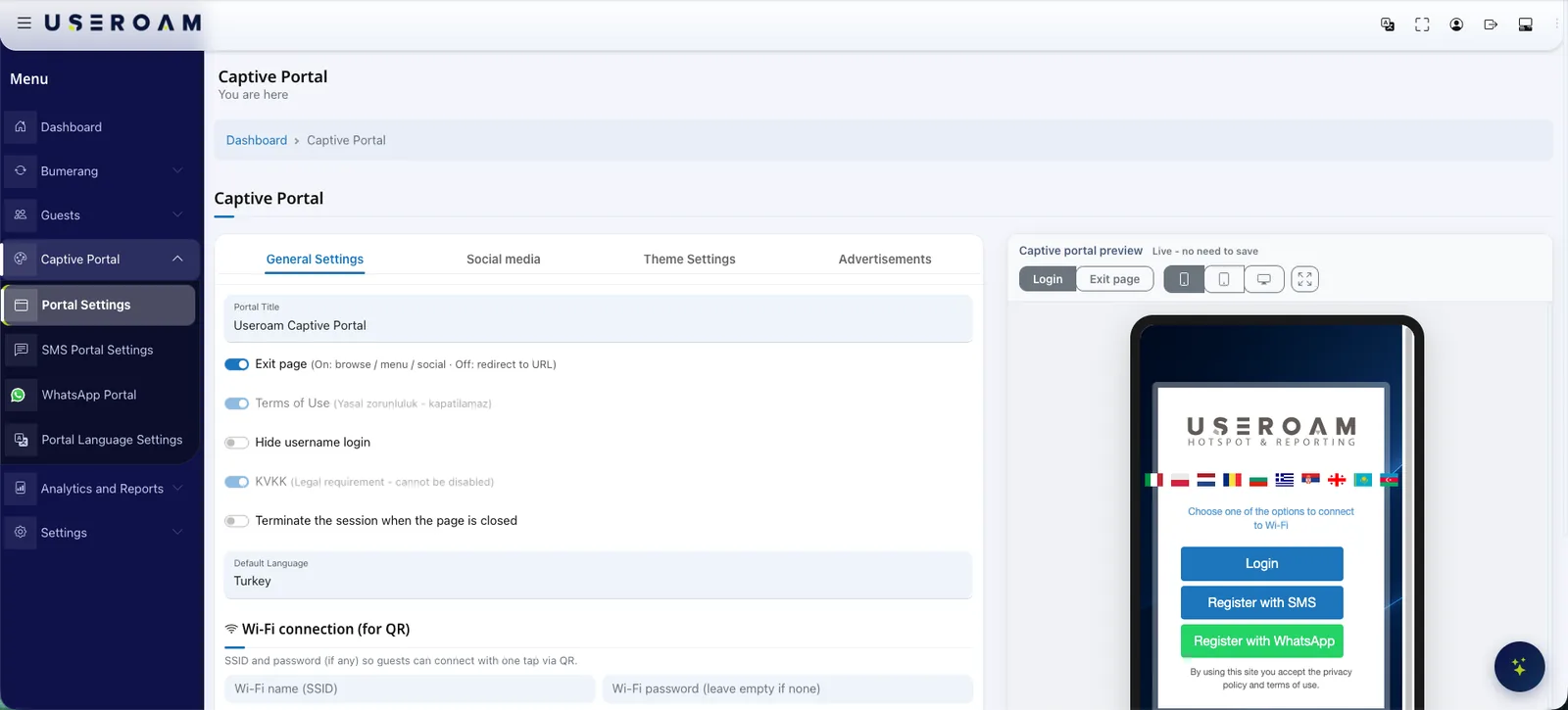
Verification messages are sent free of charge from the Useroam platform, with USEROAM as the sender name. If you want messages to carry your own brand, you add your SMS provider's API credentials in the panel and the system sends codes through your own line. Switching between the two needs no code change.
Good to know
- The verification code stays valid for the session; a guest reconnecting the same day continues without a new code.
- International guests pick their country code from the list; verification works regardless of country.
- Every login is recorded through RADIUS, and access records are signed daily with an RFC 3161 timestamp from an accredited timestamp authority and retained for the period local regulation requires.
- Consent collected alongside verification is stored with the guest record and can be exported for your own marketing systems.
Other guest WiFi features
This capability does not stand alone; these are parts of the same portal, managed from one panel.
See it on your own network.
Let us set up your welcome screen together in a demo environment — and try the login flow on your own phone.
Frequently asked questions
Is there an extra charge for SMS verification?
What if the guest types the number in a different format?
What if the code does not arrive?
Can I use SMS login together with other methods?
Related guides
WiFi Authentication with SMS and WhatsApp Verification
How phone-based guest WiFi verification works over SMS and WhatsApp — what each method offers, when to use which, and how sessions are logged.
What Is a Captive Portal and How Does It Work?
The captive portal is the sign-in screen guests see when they join your WiFi. Here is how it works, what it does for your business and why cloud-based portals win.
How to Set Up Guest WiFi: A Step-by-Step Guide
A practical, step-by-step guide to building a secure and user-friendly guest WiFi network — from capacity planning and network isolation to authentication and captive portals.