BUMERANG · HOTEL · REQUESTS
Nothing gets lost,
and nothing runs late unnoticed.
Every request from the room lands in one flow: room service, housekeeping, extra items, technical issues, late checkout and early check-in. It reaches the right department, a staff member takes it on, and if the SLA timer runs over, the manager is notified.
Waiting, in progress, done
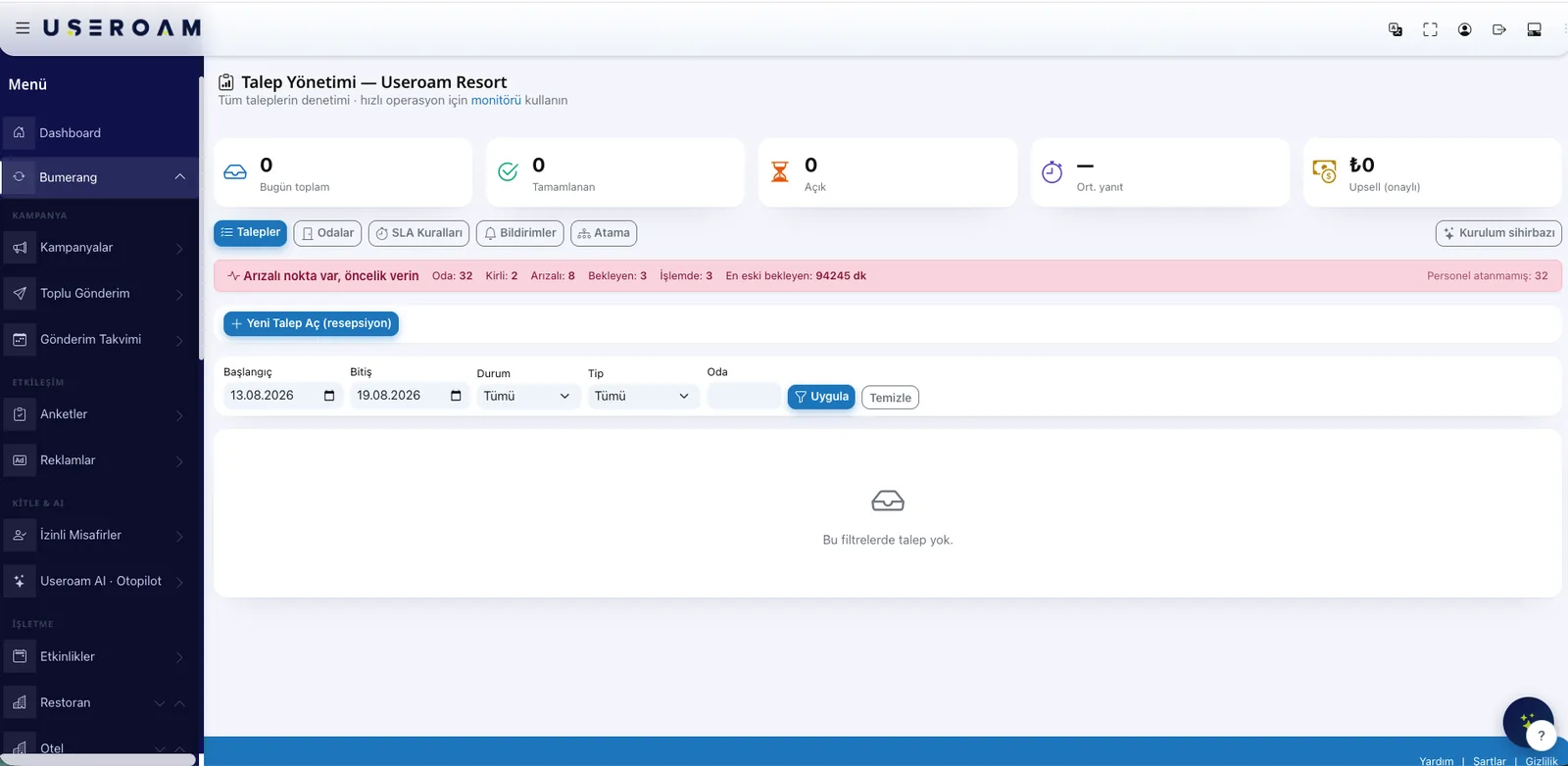
A request starts as "waiting". It moves to "in progress" when a staff member takes it on, and closes when the work is finished. Technical issues are closed with a photo, and every request carries a message thread so the front desk can reply to the guest. Each status change is recorded with who did it and when.
You decide the request types
Use the ready-made types or add your own. Each type is bound to a department, so picking it sends the job straight to that team.
- Room service and restaurant orders
- Housekeeping and cleaning
- Extra items: towels, pillows, cots
- Technical issues, with a photo
- Late checkout and early check-in — paid or free
- Internet speed package requests
Assignment rules: work waits for no one
Staff are defined with their departments — housekeeping sees its own list, the technical team sees its own issues. Define an assignment rule and a new request goes straight to the right person or department. Without a rule, a pool model applies: whoever picks it up first owns it.
SLA timers and overdue alerts
You set a time threshold per request type: how many minutes before whom gets warned. Open requests are scanned every five minutes and anything past its threshold triggers a notification — by SMS if you want. The point is not blame; it is fixing the delay before the front desk hears about it.
- A separate threshold per request type
- Staged alerts: staff first, then the manager
- Optional SMS when a threshold is breached
- Open requests scanned every five minutes
A monitor that stays open at the desk
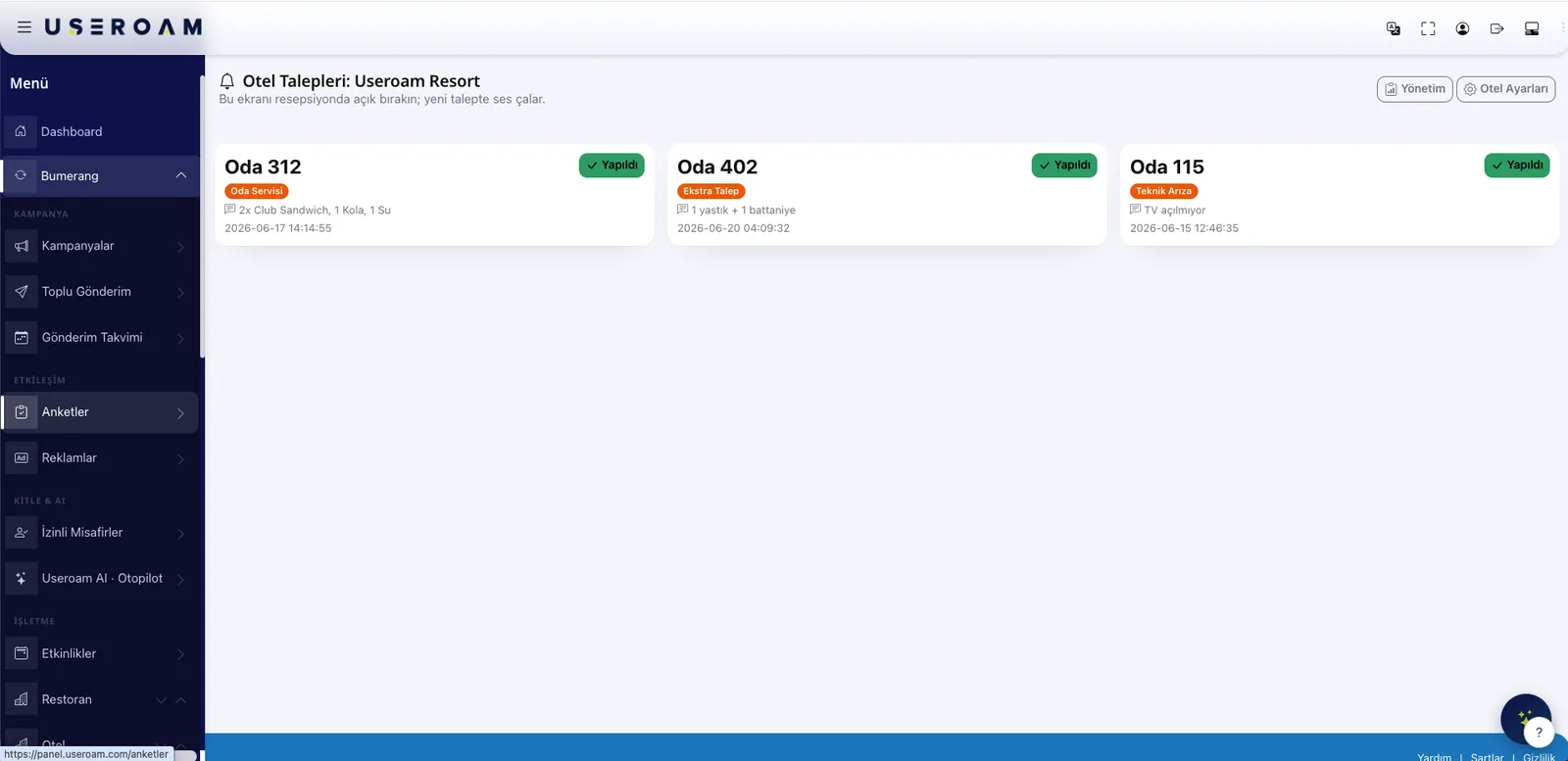
The request monitor is built to be left open at reception or on an office screen: new requests arrive with an audible alert and the cards stream in with room number, type and status. Shifts change; what is happening stays visible at a glance.
When the same fault comes back a third time
Issue records are reported by room and by type, and an AI-assisted summary surfaces the recurring ones. That way the air-conditioning complaint that shows up every week becomes a maintenance decision instead of disappearing among hundreds of closed requests.
Checkout closes requests too
When a guest checks out, open requests for that room are cancelled and the room is flagged dirty, so the housekeeping list updates itself. Useroam never posts to your PMS folio — financial records stay on the PMS side.
Let's map your request flow in a demo.
We will set up your request types, departments and time thresholds together.