STAFF WIFI
Your staff have no WiFi password.
Because there is no password.
Staff join the corporate network passwordless, with a per-user 802.1X certificate. No more shared passphrase, no quarterly rotation, no "what's the new password?" — and compliant logging stays per-user and complete.
Curious how it works? Three steps, below
The problem today: one shared password, one deferred risk
Someone leaves, you change the shared WiFi password, then hand the new one to 80 people one by one. It floats around a group chat, a sticky note, someone's phone. When logging runs on a shared account, you can't tell who did what. That's not security — it's a deferred problem.
The fix: a certificate, not a password
What we do is exactly 802.1X — precisely, WPA2-Enterprise + EAP-TLS. Staff onboard once; a per-user certificate is installed on the device. After that they connect automatically and encrypted, with no password. No password means nothing to share, steal, or rotate.
The terms, plainly
802.1X
The standard that asks "who are you?" at the network door — the access point asks on wireless, the switch asks on wired.
EAP-TLS
How identity is shown at that door. We chose a certificate instead of a password.
WPA2-Enterprise
The name this takes on the wireless network. The wired side runs on the same 802.1X switch.
Flexible identity source
Sync staff from Active Directory/LDAP or add them manually in the panel. AD is not required — venues without AD use the same module. Every staff member's identity source is visible in the list: synced from AD or added manually.
Manage staff by group
Sync staff groups from AD or group them manually in the panel; access rules follow the group. Wireless and wired connections are identified with the same certificate — staff wired into the network are covered too, not just WiFi.
What you get
Staff WiFi is included in both the Cloud and Cloud Extended editions. Compare editions →
How it works
Add your staff
Sync staff from Active Directory/LDAP or add them manually in the panel.
One password, never again
Staff open the onboarding link and enter their AD password — or one you gave them — once; a certificate installs on the device (one tap on iOS/macOS). After that, no password is ever asked again.
Passwordless, automatic
The device connects via certificate, with no password, wherever it sees the network — logged per user.
One password, once
In the steps below staff enter their AD password — or the one you gave them — exactly once; the certificate installs right there. After that, they are never asked for a password again. Onboarding is supported on iOS, macOS, Android and Windows; on iOS/macOS the profile installs with one tap.
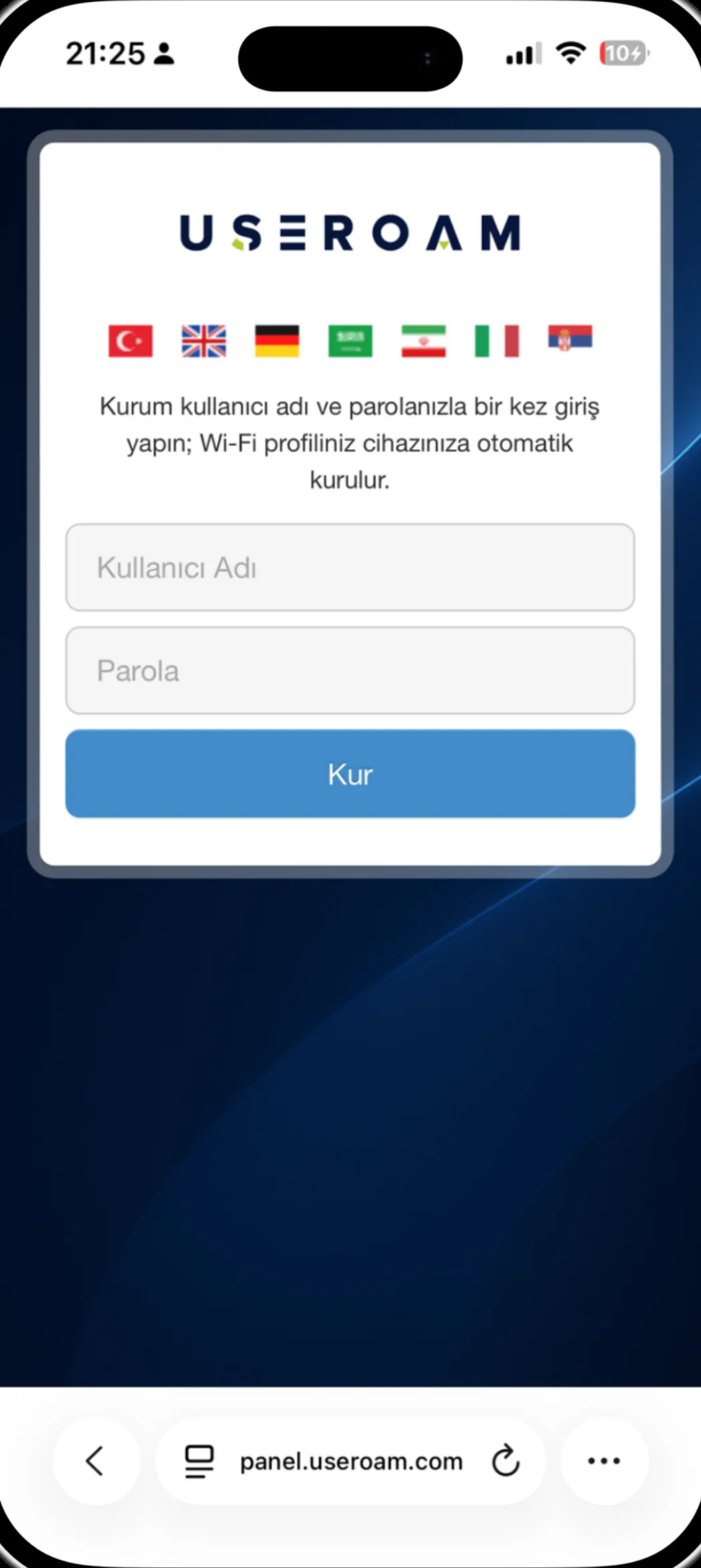
Staff sign in once with their corporate username and password ("Kullanıcı Adı", "Parola") and tap Install ("Kur"); the Wi-Fi profile installs automatically.
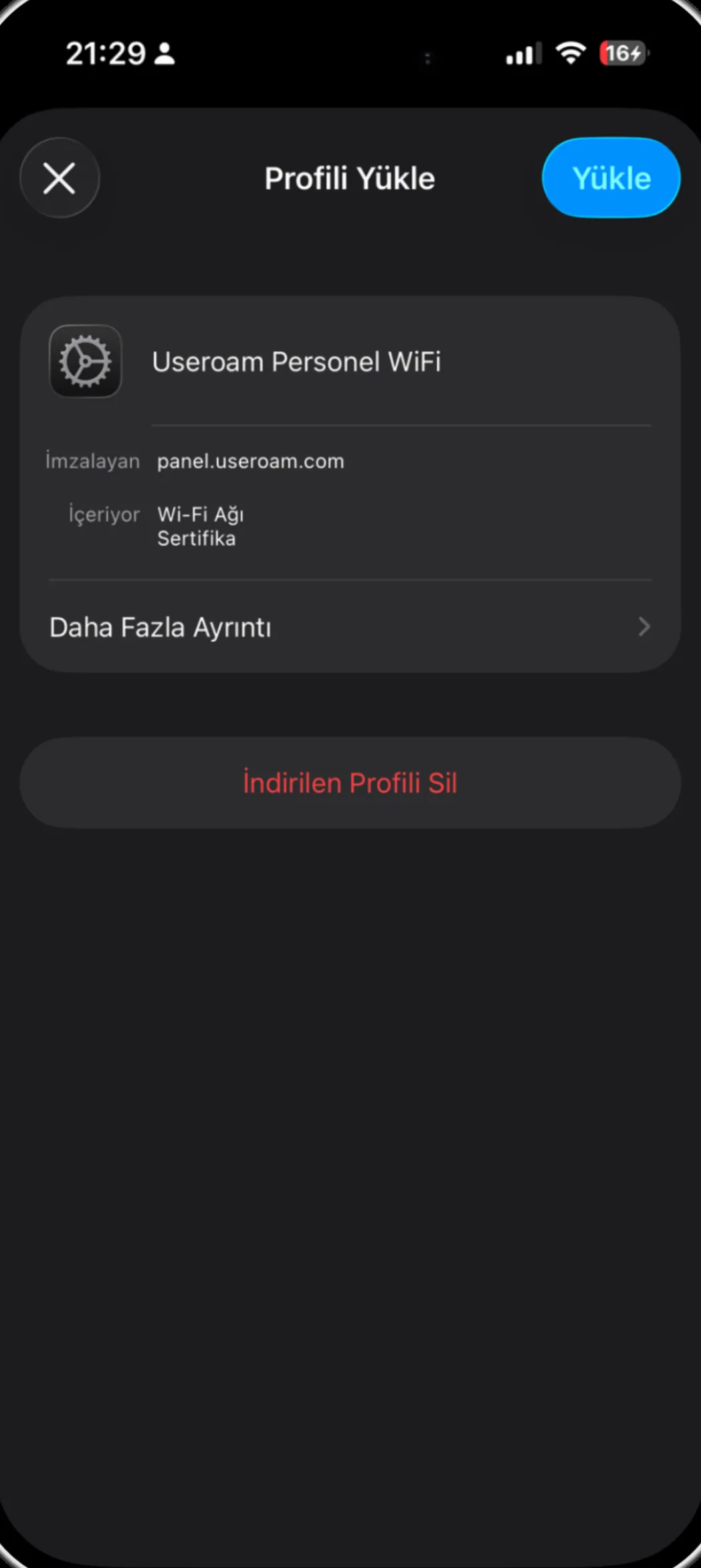
iOS's own Install Profile screen: "Useroam Personel WiFi", signed by panel.useroam.com — containing Wi-Fi Network, Certificate ("İçeriyor: Wi-Fi Ağı, Sertifika").
Why it's different (honest framing)
Among Turkish compliant hotspot vendors, the guest side (captive portal, SMS verification, logging) is standard. A module that onboards staff passwordless and self-service, via certificate, is — as far as we've seen — not offered by those vendors. Useroam combines it with guest hotspot, PMS integration and compliant logging on one platform.
Connect your staff without a password.
Try the onboarding flow on your own phone in a demo environment — let's watch your team connect passwordless together.