COMPARISON
Is MikroTik hotspot
enough?
The RouterOS built-in hotspot is a solid way to put guests online. The real question is whether your business needs more than that: verified guest identity, signed access records and a way to stay in touch with the people who connect.
Is the MikroTik built-in hotspot enough for a business?
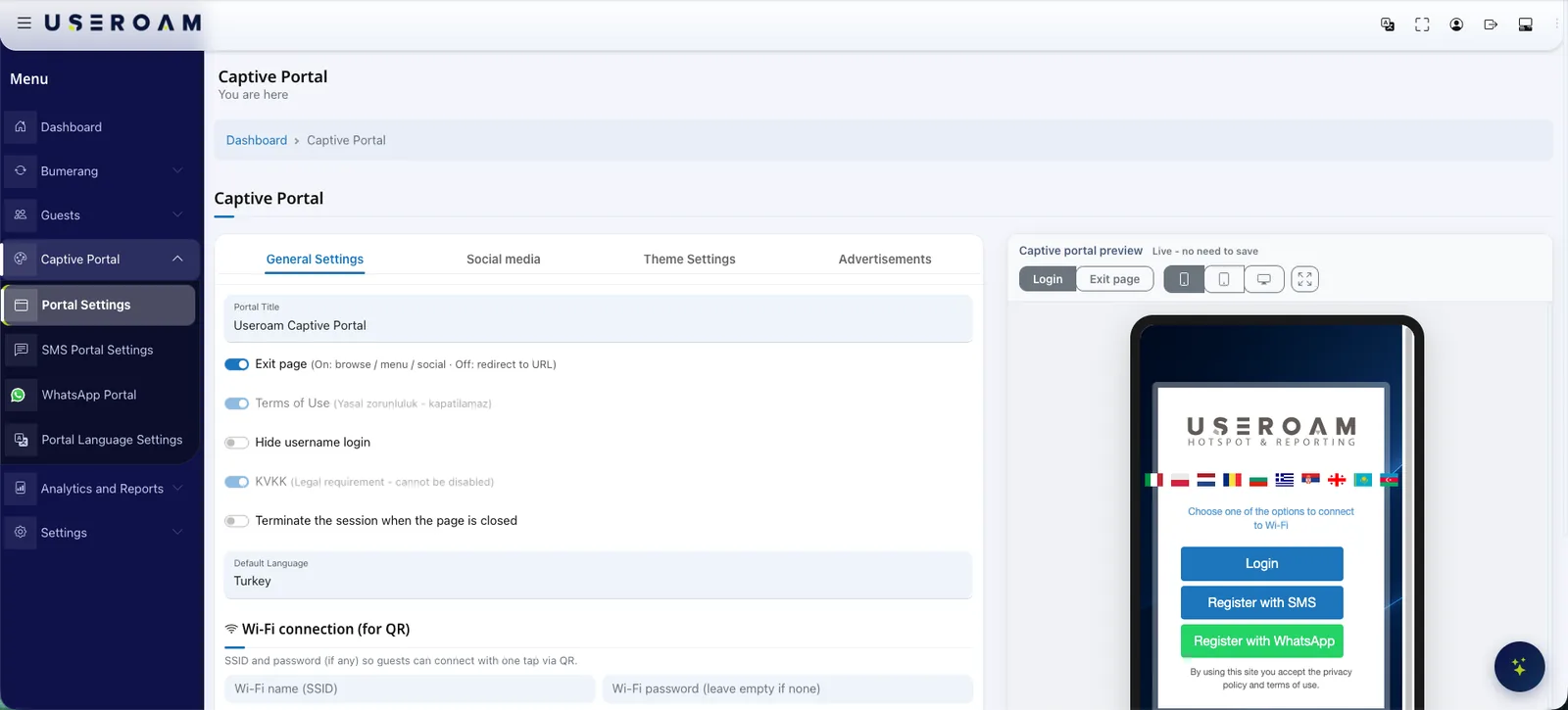
MikroTik hotspot is the access control built into RouterOS that holds a guest at a login page before letting them onto the network. It offers username and password sign-in, trial access, a local user list stored on the device, rate-limit profiles, a walled garden and support for an external RADIUS server, and for a single site used by known people it is often all you need. The gaps show once a business wants more. Verifying guests over SMS or WhatsApp, keeping compliant, signed access records with a trusted timestamp for the period local regulation requires, managing the portals and reports of several locations from one place, and running campaigns on permissioned guest data do not come out of the box; you would build and maintain each piece yourself. Useroam adds that layer from the cloud: your MikroTik stays in place, the hotspot redirects to the Useroam portal through the external login page, RADIUS opens the session and access records arrive over syslog.
What the RouterOS hotspot does well
To be fair to it, the RouterOS hotspot is a serious tool, and in plenty of setups nothing else is needed. A network admin already has:
- Username and password sign-in, with users kept in a local list on the device.
- Trial access: time-limited connectivity without asking for credentials.
- User profiles for rate limits, session time and simultaneous sessions.
- A walled garden listing addresses reachable before login.
- A login page that can be customised by editing the HTML files on the device.
- A RADIUS client that can talk to an external RADIUS server, plus log forwarding over syslog.
Built-in hotspot vs Useroam, need by need
The table shows what the RouterOS hotspot gives you out of the box and what changes once Useroam is added. "You build it" does not mean it cannot be done; it means the work stays with you.
| Need | RouterOS hotspot | MikroTik + Useroam |
|---|---|---|
| Guest sign-in | Username/password, trial access | SMS code, WhatsApp, voucher, room number + surname, username/password |
| Identity check | You build an external service for phone verification | The verified mobile number becomes the RADIUS username for the session |
| Access records | Forwards syslog; signing and retention live in your own system | Syslog records signed daily with an RFC 3161 timestamp from an accredited timestamp authority and retained for the period local regulation requires |
| Portal design | You edit HTML files on the device | Logo, colours and background from the panel, with a live per-device preview |
| Multiple sites | Login page and rules set per router; a central RADIUS server is yours to build | Every location's portal, rules and reports in one panel |
| Speed, quota, time | Through user profiles | Per-user rules applied from the panel |
| Guest data | Local user list | Permissioned data feeding Bumerang campaigns, surveys and QR menu |
When the built-in hotspot is enough
Not every guest network needs a cloud layer. The RouterOS hotspot on its own is a sensible choice when:
- You run a single site and the network is used only by people you know, such as staff, tenants or a team.
- You have no obligation to keep access records; if you are unsure, check with your legal adviser.
- You do not need to know who the guest is, and trial access or a hand-issued password does the job.
- You have an admin who knows RouterOS well and is ready to run RADIUS, log retention and the portal files.
Where it falls short
Once a cafe, restaurant, hotel or shop offers internet access to the public, expectations change. Guests need to connect with a verified phone number, access records need to be signed and retained for the period local regulation requires, and the record asked for in an audit needs to be found. As the number of sites grows, updating the login page and rules on every router one by one takes time. If the guest network is meant to support marketing, permissioned data, campaigns and surveys become a separate project too. At that point the choice is between building those pieces yourself and using a ready-made cloud layer.
How Useroam works with MikroTik
Hotspot and external login
Hotspot is enabled on RouterOS; unauthenticated guest traffic is redirected to the Useroam Cloud portal through the external login page.
Portal and walled garden
A branded welcome page is designed in the panel; the portal and verification services are added to the walled garden so they stay reachable before login.
RADIUS authorisation
The guest verifies over SMS or WhatsApp; RADIUS opens the session and speed, quota and time rules are applied.
Syslog and signed records
Access records arrive over syslog, are signed daily with an RFC 3161 timestamp from an accredited timestamp authority and retained for the period local regulation requires.
The same flow works on any device running RouterOS, including RouterBOARD, hEX, hAP, CCR and CHR, with no extra hardware and no on-site logging server.
Keep your MikroTik. Add the missing layer.
Send us your model and we will review your current hotspot setup together and open a demo environment.