INTEGRATION
MikroTik Captive Portal
Integration
RouterOS ships a capable hotspot. What it does not give you is a branded welcome screen, verified guest identity and a guest database you can market to. Useroam adds that layer on top — your MikroTik stays exactly where it is.
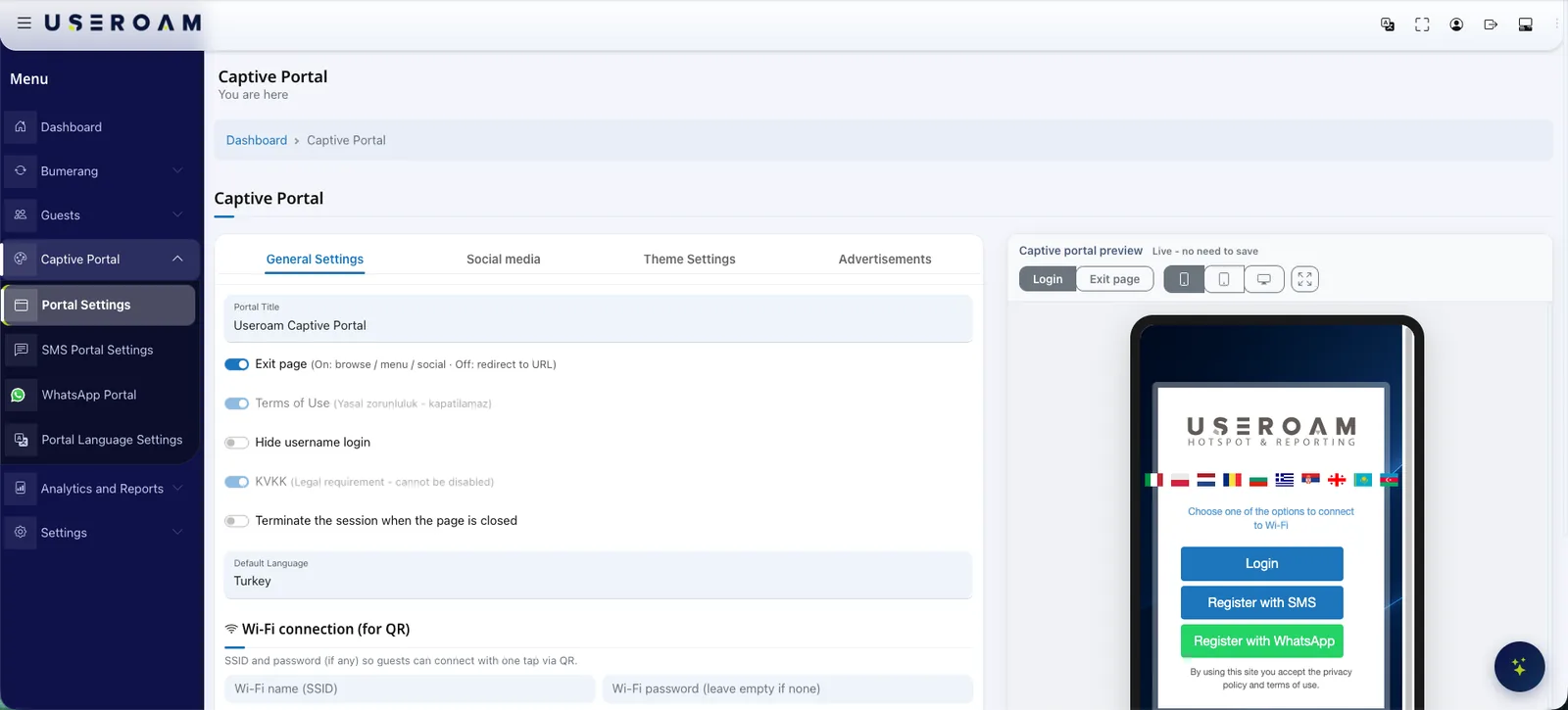
What the MikroTik integration does
Useroam Cloud takes the guest connecting through the RouterOS hotspot, sends them to a captive portal carrying your brand, verifies their identity and keeps their access records. Guests sign in with a one-time code over SMS or WhatsApp, a voucher, a room number and surname in hotels, or a username and password; RADIUS opens the session and per-user speed, quota and time rules are applied from the same panel. Access records reach Useroam over syslog, are signed daily with an RFC 3161 timestamp from an accredited timestamp authority and are retained for the period local regulation requires. Nothing is installed on site — no logging server, no appliance, and no change to the RouterOS rules already carrying your business traffic; the same flow works across RouterBOARD, hEX, hAP, CCR and CHR. A low-cost MikroTik deployment ends up with enterprise-grade guest onboarding and the Bumerang marketing layer on top.
How the integration works
Hotspot and external login
Hotspot is enabled on RouterOS; unauthenticated guest traffic is redirected to the Useroam Cloud portal through the external login page.
Portal and walled garden
A branded welcome page is designed in Useroam Cloud; the portal and verification services are added to the walled garden so they stay reachable before login.
RADIUS authorisation
The guest verifies their identity over SMS or WhatsApp; the verified mobile number becomes the RADIUS username for the session and the firewall authorises access.
Syslog and signed logs
Access and NAT records are collected from the firewall over syslog, signed daily with an RFC 3161 timestamp from an accredited timestamp authority and retained for the period local regulation requires. Any record needed for an audit is served from the panel.
The welcome screen carries your brand
The captive portal is designed in the panel with your logo, colours and background image, and published with a live per-device preview. The same screen doubles as a placement for your campaigns and announcements.
What to know on the MikroTik side
- Works with any device running RouterOS, including RouterBOARD, hEX, hAP, CCR and CHR (Cloud Hosted Router).
- Because the hotspot runs on the device itself, the guest network can be broadcast by the MikroTik directly or by any wireless infrastructure behind it.
- Common in cafes, restaurants, hotels and SMB sites; scales from a single location to centrally managed multi-site estates.
A marketing layer on the same network
The MikroTik integration is not only about getting guests online: every guest who connects becomes permissioned data. The Bumerang modules run from the same panel, with no additional deployment.
Campaigns
Welcome and win-back flows go out automatically over WhatsApp/SMS, and the return visit is measured in the panel.
Surveys
Happy guests are routed to a Google review, unhappy feedback comes to you — your reputation is fed by the WiFi.
QR Menu
Multilingual menu and order-from-table, with reporting on which item drew interest and when.
Other integrations
Useroam is vendor-agnostic: even when sites run different devices, everything is managed from one panel.
Your hardware is ready. Let's open the guest network.
Send us your model and we will plan the integration steps together and open a demo environment the same day.
Frequently asked questions
Do I need extra hardware or a licence for MikroTik hotspot?
How are access logs handled?
Will it affect my existing RouterOS configuration?
Related guides
What Is a Captive Portal and How Does It Work?
The captive portal is the sign-in screen guests see when they join your WiFi. Here is how it works, what it does for your business and why cloud-based portals win.
How to Set Up Guest WiFi: A Step-by-Step Guide
A practical, step-by-step guide to building a secure and user-friendly guest WiFi network — from capacity planning and network isolation to authentication and captive portals.