INTEGRATION
Ruijie Captive Portal
Integration
Ruijie and Reyee gateways bring a guest network up quickly. What they do not give you is a branded welcome screen, verified guest identity or a guest database you can market to. Useroam adds that layer on top — your device stays exactly where it is.
What the Ruijie integration does
Useroam Cloud takes the guest connecting through a Ruijie or Reyee gateway, sends them to a captive portal carrying your brand, verifies their identity and keeps their access records. The device is added to the Useroam panel by its serial number, and on the Ruijie side an external portal template of type WiFiDog V1 is defined and bound to the guest network. Guests sign in with a one-time code over SMS or WhatsApp, a voucher, a room number and surname in hotels, or a username and password; RADIUS opens the session and per-user speed, quota and time rules follow from the same panel. Access records are forwarded from the device over syslog, signed daily with an RFC 3161 timestamp from an accredited timestamp authority and retained for the period local regulation requires, so there is no separate logging server to build or maintain. Before login the Useroam addresses are added to the walled garden so the portal stays reachable, and no new hardware is required.
How the integration works
Device registration and external portal
The device is added to the Useroam panel by its serial number with logging enabled; on the Ruijie side an external portal template of type WiFiDog V1 is created and bound to the guest network authentication policy.
Portal and walled garden
A branded welcome page is designed in Useroam Cloud; the portal and verification services are added to the walled garden so they stay reachable before login.
RADIUS authorisation
The guest verifies their identity over SMS or WhatsApp; the verified mobile number becomes the RADIUS username for the session and the firewall authorises access.
Syslog and signed logs
Access and NAT records are collected from the firewall over syslog, signed daily with an RFC 3161 timestamp from an accredited timestamp authority and retained for the period local regulation requires. Any record needed for an audit is served from the panel.
The welcome screen carries your brand
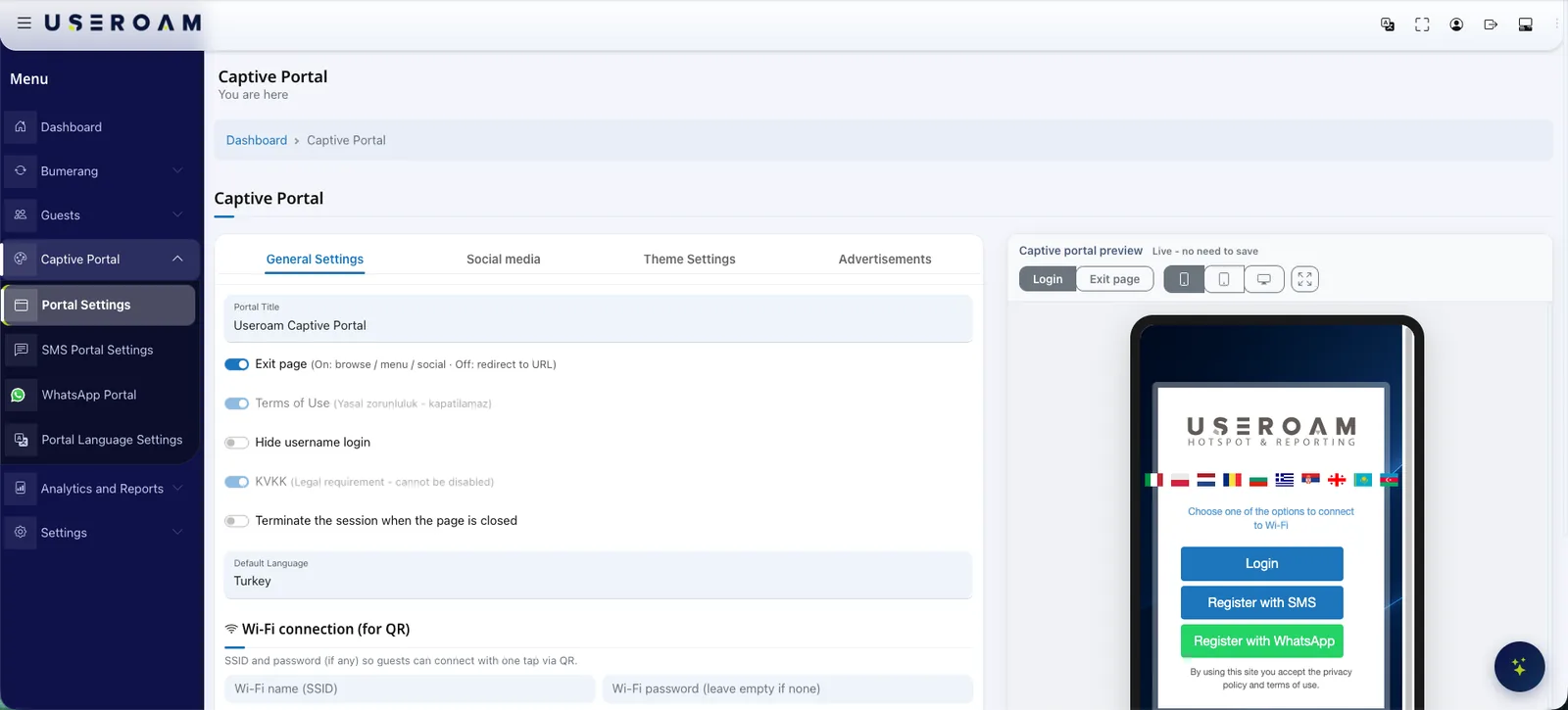
The captive portal is designed in the panel with your logo, colours and background image, and published with a live per-device preview. The same screen doubles as a placement for your campaigns and announcements.
What to know on the Ruijie side
- Works with Ruijie and Reyee gateway devices through their built-in authentication module and external portal support.
- The Useroam addresses and domain are added to the device allowlist so the portal is reachable before login; if WhatsApp sign-in is used, the WhatsApp domains and Meta IP ranges are added too.
- The device serial number must be entered exactly as printed. The full step-by-step setup lives in the Ruijie integration guide in the help centre.
A marketing layer on the same network
The Ruijie integration is not only about getting guests online: every guest who connects becomes permissioned data. The Bumerang modules run from the same panel, with no additional deployment.
Campaigns
Welcome and win-back flows go out automatically over WhatsApp/SMS, and the return visit is measured in the panel.
Surveys
Happy guests are routed to a Google review, unhappy feedback comes to you — your reputation is fed by the WiFi.
QR Menu
Multilingual menu and order-from-table, with reporting on which item drew interest and when.
Other integrations
Useroam is vendor-agnostic: even when sites run different devices, everything is managed from one panel.
Your hardware is ready. Let's open the guest network.
Send us your model and we will plan the integration steps together and open a demo environment the same day.
Frequently asked questions
Do I need extra hardware or a licence for Ruijie guest WiFi?
How are access logs handled?
Does WhatsApp sign-in work on Ruijie?
Related guides
Firewall Guest WiFi Integrations: Sophos, FortiGate & More
A brand-by-brand look at how guest WiFi authentication and logging integrate with Sophos, FortiGate, Palo Alto, Zyxel and MikroTik — and how to choose.
What Is a Captive Portal and How Does It Work?
The captive portal is the sign-in screen guests see when they join your WiFi. Here is how it works, what it does for your business and why cloud-based portals win.
How to Set Up Guest WiFi: A Step-by-Step Guide
A practical, step-by-step guide to building a secure and user-friendly guest WiFi network — from capacity planning and network isolation to authentication and captive portals.